Author name: Kasi Viswanadham

Experienced SEO Expert and Digital Marketing Specialist with over 5+ years of hands-on experience in helping businesses increase organic traffic, improve search engine rankings, and grow their online visibility.

Search Engine Marketing
Blog

Mastering Search Engine Marketing: Effective Strategies for Success

Search engine marketing lives where data meets instinct. It’s not just bidding on words — it’s listening to what people type, feeling the intent behind a search query, and showing up with the right message at the exact moment someone needs it. When search engines return results, paid search marketing can put your business front and center on search engine results pages and turn search volume into tangible traffic, leads, and sales. What Is Search Engine Marketing (SEM)? Search engine marketing, or SEM, is the art of being exactly where your customers are the moment they need you. Think about it: someone sits down, types a question into Google, and you appear — not by chance, but by design. SEM isn’t just paying for ads; it’s about understanding intent, choosing the right words, and creating a message that clicks with the person on the other side of the screen. Platforms like Google Ads and Bing Ads are your toolkit — combining keyword insight, creative ad copy, smart bidding, and landing pages that deliver what your target audience is searching for. When done well, SEM doesn’t feel like an ad at all. It feels like you’ve anticipated their need and handed them exactly what they were looking for. How Search Engine Marketing Works? When someone types a search query, an ad auction decides which paid listings appear. Google determines ad rank using factors like maximum bid, quality score, ad relevance, and expected click through rate. Advertisers choose target keywords, create ad groups, and set budgets. If your ad wins the auction for a particular user’s search terms, your ad is shown — and you pay when that user clicks. That chain of events is how paid search advertising turns search intent into measurable action. Partnering with an SEO and internet marketing firm can help refine this process, ensuring your campaigns are optimized for maximum impact. Google Ads Account and Campaign Setup   A tidy account structure is where good SEM starts. Organize campaigns by goal, and break them down into tightly themed ad groups with related keywords and ad copy. That account structure improves ad relevance, helps quality score, and makes ongoing optimization easier. Pair that structure with clearly defined landing pages and you’ll set the stage for consistent, traceable results. Sign Up for Google Ads – Signing up for Google Ads — historically known as Google AdWords — opens access to search advertising, display placements, and shopping ads. After account creation, review ad platforms and consider complementary channels like Bing Ads if your audience uses other search engines. Pick your ad placements, set an initial budget, and prepare a shortlist of target keywords to test. Define Campaign Goals – Start with the outcome you want. Is it traffic, leads, purchases, or store visits? Define those goals and match them to conversions you can track. When goals are clear, you can choose the right bid strategy, allocate budget to the most valuable search terms, and measure whether your paid search marketing is producing a real return. Choose Campaign Type – Different goals call for different campaign types. Search campaigns capture intent on search engine results pages. Display campaigns help with reach and brand awareness across other sites. Shopping ads are made for product-driven commerce. Remarketing can pull visitors back. The right campaign type aligns with user behavior and your conversion funnel. Organize Keywords – Effective SEM depends on thoughtful keyword organization. Start with extensive keyword research to identify target keywords that match search intent and offer reasonable search volume. Group similar search terms into focused ad groups so your ads stay highly relevant to the user’s search query. Use match types to balance reach and precision, and prune low-performing keywords regularly. Craft Compelling AD Copy – Ad copy must answer the user’s question before they click. Lead with benefit, use relevant keywords in headlines, and end with a clear call to action. Include ad extensions to give searchers extra context — sitelinks, callouts, and structured snippets help your ad stand out on search results. The more relevant your ad copy, the better your quality score and the lower your cost per click. Why Should SEM be Part of Your Marketing Strategy? SEM brings the advantage of immediacy to your marketing mix. While organic search and SEO feed long-term growth, paid search marketing lets you capture demand today. Combine paid visibility with organic strategies and you’ll cover both short-term conversions and long-term authority – a balanced SEM strategy that turns search visibility into lasting value. Instant Visibility and Traffic Paid listings put you on the front page quickly. If your campaign budget supports it and your keywords match user intent, you can appear for critical search queries the day your campaign launches. That immediacy is invaluable when you need traffic fast, test new offers, or promote seasonal campaigns. Targeted Advertising Search advertising allows granular ad targeting. You can target by device, location, time of day, and even refined audience segments. That control makes it possible to show different messages to different groups and match ad copy to the specific needs behind a user’s search terms. Measurable Results and ROI With SEM, nearly everything is measurable. Impressions, clicks, conversions, and cost-per-acquisition give you a clear line to ROI. Use those signals to refine your bidding strategy, reallocate budgets, and test which keywords and ad copy drive the most value for your business. 5 Types of Search Engine Marketing (SEM) SEM is broader than plain search text ads. Different formats answer different buyer needs and appear across different ad placements. Choose the mix that matches both your offerings and where your audience is searching. 1. Pay-Per-Click (PPC) Advertising PPC campaigns charge only when someone clicks, which makes testing different ad copy and keywords efficient. A thoughtful max bid and well-structured ad groups help you compete for high-value search terms without overspending. 2. Display Advertising Display ads appear across other sites and use contextual targeting to reach audiences browsing relevant content. Display works well for brand awareness and for remarketing visitors who didn’t convert the first time. 3. Shopping
Organic Click Through Rate
Blog

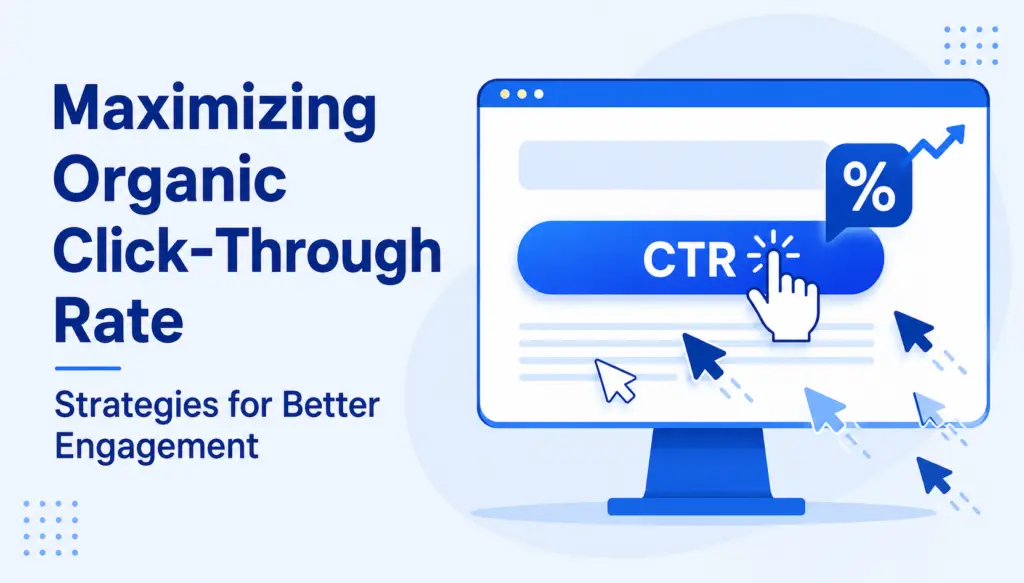
Maximizing Organic Click Through Rate: Strategies for Better Engagement

Want to boost your Organic Click Through Rate (CTR) and move up in search results? Stay with me till the end! Email marketers, in particular, consider click-through rate to be a key metric for measuring campaign success. Whether you’re a seasoned marketer or new to SEO, understanding your organic CTR is crucial. It shows how well your web pages match user search. This post will cover the basics of organic CTR, its importance and strategies to improve it. What is CTR (Organic Click Through Rate)? CTR is the percentage of users who see a webpage and click on an ad. This metric measures how well an ad engages the audience. A strong click-through rate means the ad has grabbed the user’s attention, which benefits site owners. With cost-per-click models that pay for ad clicks, a good click through rate can increase revenue through ads. How to Calculate CTR? To calculate your click-through rate, divide the number of clicks your ad gets by the number of impressions. Then multiply the result by 100 to get a percentage. To improve your click rate try audience segmentation, precise targeting, write an engaging copy and do A/B testing. These methods will attract more attention and make users click on your ads. You should track your CTR regularly to know how your ads are performing and make necessary adjustments. The Average CTR What constitutes a strong CTR varies depending on your ad campaigns and the type of ads you’re running. However, industry benchmarks are a good reference. Search ads have an average CTR of around 3.17%, they get user attention in SERPs. Display ads that rely more on visuals have a lower average CTR of around 0.46%. These numbers show that search ads generally perform better. Why Does CTR Matter? CTR matters because it shows how many people are clicking on your link or ad. But why should you care? A higher click-through rate means more people are interested in what you offer and you’ll reach your goals faster. Getting the highest CTR possible can boost your internet marketing efforts and drive more traffic to your site. Measures Audience Engagement Click-through rate is important because it measures how much people like what they see. While open rate measures how many people open your email campaigns, click-through rate shows how many people engage further by clicking on links. Imagine you see a cool ad or an interesting link. If you click on it, that means it caught your attention. But what if no one clicks? Does that mean it’s boring or not useful? Maybe! A high click through rate means many people are interested and engaged. It’s like a thumbs-up from the audience. So, if you want to know if your content is working, check the click-through rate. It’s a simple way to see if you’re reaching your audience and making them curious. Supports A/B Testing Click-through rate is also important because it supports A/B testing. But what is A/B testing, and why should you care? Imagine you have two different versions of an online ad, and you want to know which one works better. A/B testing lets you show these versions to different groups of people. Then, by looking at the click-through rate, you can see which ad gets more clicks. This helps you figure out what your audience likes best. It’s like a science experiment for your ads! Knowing this can make your ads more successful in the future. So, click-through rates help you learn and improve. It’s a smart way to make sure your ads are the best they can be. Improves Quality Score Expected CTR: Expected click-through rate predicts how well your ad will perform. If your ad gets lots of clicks, it means people like it. This boosts your quality score, making your ads more visible. A high CTR can positively impact your advertising account by improving your Quality Score and ad position. Ad relevance: Ad relevance checks if your ad matches what users search for. When your ad is relevant, more people click on it. This increases your quality score, helping your ad show up more often. Landing page experience: Landing page experience is about what users see after clicking your ad. If they find what they need, they stay longer. This improves your quality score, making sure your ads get better placement. 13 Ways to Improve Organic CTR Boosting your organic CTRs requires strategic efforts and adoption of best practices to make your web pages grab maximum user attention. These can also be applied to your email marketing campaign to boost engagement and click-through rates. 1. Create Valuable Content When content resonates with your audience and provides value, it gets more clicks and encourages repeat visits and interaction with your website. Start by researching to understand your audience’s needs and preferences. Use this information to create content that answers questions, solves problems or offers insights into relevant topics. Make sure your content is well-organized, easy to read and error-free to improve user experience. Using relevant keywords strategically can also boost its visibility in SERPs, making it easier for users to find. Adding visuals like images, infographics and videos can effectively capture attention and explain key points. Consistently delivering valuable content builds trust with your audience and improves organic CTR. Valuable content is also important for advertising as it attracts and retains user interest. 2. Use Long-Tail Keywords Using long-tail keywords in your content strategy can increase your organic click-through rate (CTR). These keywords are more specific and longer than common search terms, making them less competitive and easier to rank for in search engine results. Targeting these phrases attracts more qualified traffic, as users searching for specific terms usually have a clear intent and are more likely to engage with your content. To use long-tail keywords effectively, research phrases relevant to your niche and commonly searched by your audience. Integrate these keywords into your site’s content, meta descriptions and title tags. The specificity of long-tail keywords aligns better with searcher intent, increasing the chance of

Keyword Cannibalization
Blog

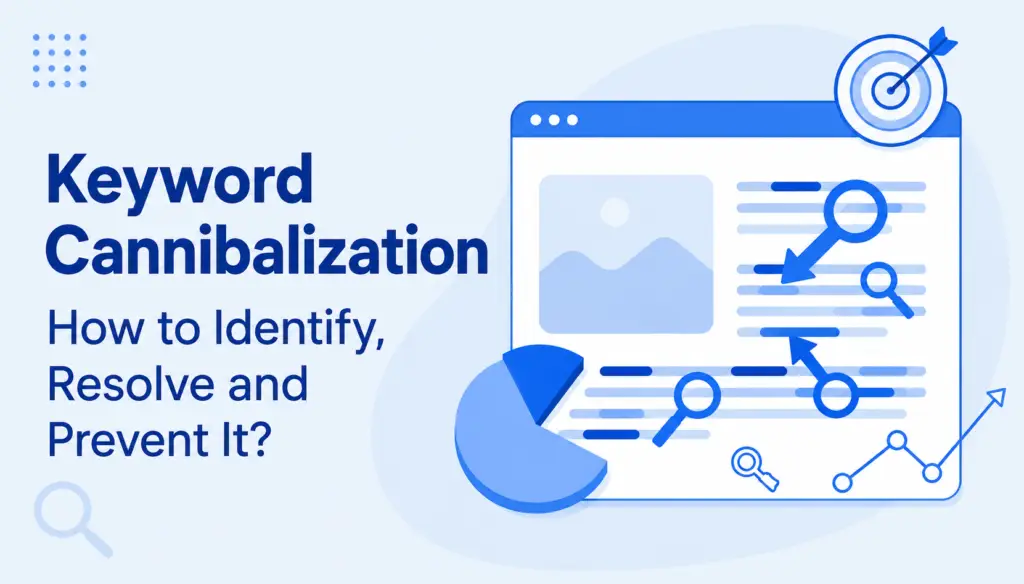
Keyword Cannibalization: How to Identify, Resolve and Prevent It?

Many things in the world of SEO seem logical while being completely the opposite. One of those situations is the keyword cannibalization. This is a situation where ordinary people would think they are doing a great job by ranking multiple pages for the same keywords, while actually doing entirely the opposite. Keyword cannibalization is when more pages on your website comete for the same goal. Search engines and their bots suddenly get confused about which page is the main one they should be using for ranking your page among the many others out there. This is called keyword cannibalisation. Although it causes damage to your page and overall rankings, this is something that is easily fixed. However, an SEO expert must identify it by doing a thorough audit of your page, finding the error, and asking the team to make changes, which will result in only one landing page competing against the world for the top prize – number one in the SERP Ranking. What is keyword cannibalization in seo? To put it shortly, keyword cannibalization is when two or more pages target the same keywords. Sometimes website owners do this unintentionally, but in many cases, they think this is the right strategy. By logic, it’s normal to think that more pages aiming for the same keyword are better than one. In SEO, it is best to have one page that will strongly suggest to search engines that it is the best match for a particular keyword or key phrase instead of sending signals from multiple pages. When you have multiple, search engines send the same amount of authority, but spreaded it for every single one you send. When you have only one page that ranks for a particular keyword, the search engine knows exactly where to put its authority. This is why it is so important to develop a great website strategy and categorization. It is best to develop a flawless site structure and never risk keyword cannibalization. SEO keyword cannibalization can happen when you: Post the same or similar content over time Publish new things on the same topic without redirecting the old one Lead to the same product categories using different paths Optimize different pages for same or similar keywords of key phrases Forget to optimize subcategory pages The Impact of Keyword keyword cannibalisation on SEO Just like everything else in the world of SEO, keyword cannibalization won’t affect your site immediately. Things will work just normally, and you won’t see anything terrible, but you will also not grow. Once you notice traffic loss, fixing it becomes urgent, because getting back on track is also something that will take time. Remember, SEO is a marathon, not a sprint. Lower Rankings: Lower rankings resulting from keyword cannibalization explain perfectly why you must fix this issue. When you have two pages optimized for the same keyword, you’re ranking on search engines for both. Suppose you have two blog posts named “best theaters in New York”. The authority from the search engine will spread evenly, and both will rank lower, which is easy to spot when you use a site authority checker. If you fix this issue and have one page for theaters in New York, it will gather all authority and rank higher, ultimately generating more traffic. Diluted Backlinks: If external sites link to different overlapping pages, the backlink value spreads thin. Instead of consolidating page authority into one preferred page, the links get diluted across multiple URLs. In other words, it is best to mind the backlinking strategy and create backlinks that are more valuable. Confused Crawlers: Search engines like Google aim to match queries with the most relevant page. But when faced with overlapping content and duplicate pages, crawlers may struggle to decide which is best. This can lead to the wrong page being displayed in search results — a product page showing up instead of a category page, for example — which leaves users unsatisfied and hurts engagement. Reduced Click-Through Rate (CTR): Even if multiple pages appear in search results, they may not get the clicks you want. The Click-Through Rate becomes divided, with each page receiving fewer clicks than a single strong page would have. Search engines then interpret this as a signal that your content isn’t engaging, which can further push your keyword rankings down. 5 Steps to Identify and Fix Keyword Cannibalization Issues Fixing keyword cannibalization is a matter of awareness and structure. Once you know how to spot cannibal pages and overlapping keywords, you can take steps to strengthen the right content. 1. Audit Your Content Start by reviewing all the pages on your site. Ask yourself: are multiple pages covering the same topic? Checking your historic rankings can reveal shifts caused by cannibalization. If two or more pages keep trading positions for the same keyword, it’s a clear sign they’re competing. Both Google Search Console and Ahrefs can help identify this. Here’s how to do it in Ahrefs Site Explorer: Enter your domain into the tool Open the Organic Keywords report Filter the list to focus on a keyword you suspect may be cannibalized Check the ranking history dropdown to see whether multiple pages have been appearing for that query over time 3. Run a Site: Search Using Google’s site search operator is one of the quickest ways to identify issues. Type site:yourdomain.com [keyword] into the search bar and see which pages appear. If you notice more than one page ranking for the same keyword, you may have a cannibalization problem. This is also an excellent way to search rankings for your pages and find out if you have similar pages that are trying to bring organic traffic. You might be running a site that is informative, but without visitors, it will be invisible. All pages fulfill the same role, and that’s to drive traffic. 4. Run a Google Search and Remove Host Clustering Perform a standard Google search and see how your site appears in the results. Use tools or filters to remove host clustering so you can identify if multiple pages are

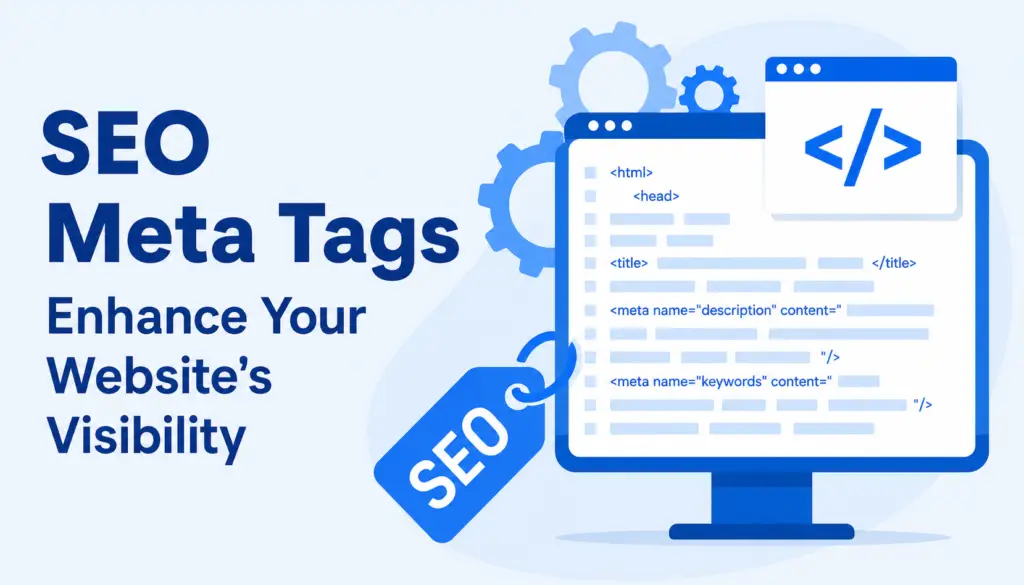
SEO Meta Tags
Blog

SEO Meta Tags: Enhance Your Website’s Visibility

If you’ve ever searched on Google and wondered how it chooses what to show, here’s a hint: the answer is in the code. SEO meta tags are short notes in a website’s background. You won’t see them on the screen, but they tell search engines what the page is about. Because of these tiny instructions, it’s possible for your website to show up for the right people. Using meta tags in the right way can really help your site get noticed. What Are SEO Meta Tags? You can think of meta tags as mini labels in the HTML code of your website. They’re for both search engines and readers. These tags don’t show up on the main part of your site, but they are super important for getting good spots in search results. They help platforms like Google group your web pages with similar content. For example, a smart meta description can catch someone’s eye and make them choose your link instead of a competitor’s. To view the Meta tag of any page, press Ctrl+U. Meta Tags Supported by Google Google pays close attention to some, but not all, meta tags. Knowing which ones matter can save you a lot of time and guesswork. The title tag, meta description, and meta robots tag are all important for ranking and crawling. Others, like the viewport meta tag, affect the way your site looks on mobile phones. When you know which tags are important, you can focus on the things that will help more people find your site. 10 Most Important Meta Tags for SEO There are many meta tags for SEO, but a handful are always at the top of the list. These tags provide key information to search engines and help your website perform better. Setting them up right makes your content more visible. While the meta keywords tag used to be a big deal, now other tags have taken center stage. Let’s take a closer look at which ones really matter and why. 1. Meta Title The meta title is the main headline that shows up in search results. That’s also usually the text you see in your browser’s tab. If people like that headline, they’ll click. With one look, they know what your page is about. It’s important to use a clear, short title and put your top keyword as close to the front as possible. Don’t forget, this is often a new visitor’s first impression, so write it like something you’d want to click. Meta Title Syntax Adding a title tag to your HTML document is simple. Go to the <head> section and write <title>Your Page Title Here</title>. Whatever you put inside those tags is what people and search engines will see as the main headline. It’s also what shows on the browser tab. Always double-check it’s in the right place, and each page has its own unique title. It makes a real difference. The Importance of Meta Title for SEO Why focus on the title tag? Search engines use it as a strong clue about the content of your page. If you want your site to stand out in search results, this tag is one of your best tools. It grabs attention and can raise the number of people who click on your site. When your title matches what someone wants, they’ll probably pick your web page. That’s a good sign to search engines too. Optimizing HTML Meta Title for SEO To get the best results, keep a balance. Use your keywords, but don’t force them. Write the title in a way that’s friendly to both people and search engines. It should describe your page and invite users to learn more. For example, “How to Grow Tomatoes at Home | Easy Guide” works better than a list of words. Aim for something real, like advice you’d give a friend. Finding and Fixing Common Meta Title Mistakes Here’s what can go wrong with meta titles, and quick ways to fix issues: Too long/short: If your title is too long, it gets cut off in search results. Too short, and it won’t tell people much. Check that your title sits comfortably between 50 and 60 characters; enough for a full message, but not too much. Doesn’t exist: Missing a title is a big mistake. Without one, search engines just guess what to call your page. Be sure every page you publish has its own descriptive title. Multiple title tags on one page: Don’t add more than one <title> tag. If you do, search engines won’t know which to choose. Always keep your HTML code clean and organized. Duplicate titles across multiple pages: Each page on your site is different. Always use a separate, accurate title to help both users and Google tell your pages apart. Best Practice Use 50–60 characters: This is a sweet spot. It keeps your headline visible on most devices and lets people see the full title in search results, not just a cut-off version. Incorporate keywords in a way that feels organic: Place the main topic or keyword near the beginning, but don’t overdo it. If it sounds natural, readers will be more likely to trust your page. Align content with user intent: Promise only what your page delivers. If the title and content don’t match, most visitors leave fast. Use unique titles for each page: Stand out! Don’t repeat the exact headline on multiple pages, or you’ll confuse both people and search engines. Provide an accurate preview: Think of your title as an invitation, a sneak peek at what’s ahead. It should give users a reason to visit your web page. 2. Meta Description The meta description tag is a sentence or two shown under the title in search results. While it won’t change your ranking by itself, it can convince someone to click your link. It’s your quick pitch for that page. A good meta description tells people what they’ll get if they visit. Keep it simple and interesting to make users want to click on your web

best backlink checker tool​
Blog

Best backlink checker tool 5 Stay Ahead in Search Rankings

Best backlink checker tool ever wonder why certain websites outpace you in search results? Often, it comes down to backlinks—the sites that vouch for yours. A best backlink checker tool helps you keep tabs on those connections. By watching your referring domains and judging the links’ worth, you get a jump on rivals. Don’t overlook free backlinks, keep tabs on nofollow links, and test a free backlink checker tool so you know your strengths and what needs work. A tidy backlink profile puts you in a stronger spot. Using a backlink analysis tool uncovers valuable backlinks, something a basic free backlink tool can’t always manage, especially when you need a competitor backlink comparison or want to lift your domain authority. So, why are backlinks a focus for so many? Easy – they prove your site’s value in search engines’ eyes and reveal link-building opportunities you’d miss otherwise. It isn’t magic. But it really does the trick. Eventually, SEOs caught on and started doing what they can to inflate their websites’ perceived authority through various link building tactics. A core part of a link building or off-page SEO strategy is backlink analysis, and to do that, one ought to work smarter using the right tools like a best backlink checker. What is a best backlink checker tool​? When you use a backlink checker, you’re discovering exactly which sites are pointing their links to you. These external signals matter a lot to all the main search engines. A proper backlink checker tool shows you not just how many sites link to you, but also what stands out: are they quality sites or something fishy? Most tools offer reports so you can clean up bad links and spot what supports your rankings. You’ll see at a glance if you’re making headway, or if it’s time to rethink your approach. Why do Backlinks Matter? A backlink is a bit like a personal introduction – one website telling users (or search engines) that you’re worth a look. Google, Bing, and others treat these endorsements as signals for trust. For instance, if a respected news outlet points a link your way, your domain authority gets a tick up. But a sketchy link from a tiny, off-topic blog? That could drag you down. In SEO, backlinks are one of the top reasons search engines decide who shows up first and who gets left out. The source really counts. Benefits of Using a best backlink checker tool Thinking about why you’d bother with a backlink checker tool? There are several reasons, each with clear pay-offs. Boost SEO rankings: Every backlink acts like a signpost for search engines. Using a backlink checker, you discover which links cheer you on and which ones might be holding your site back. If you check regularly, you’ll know where your backlink profile stands, letting you shape and improve your bank of high-quality backlinks. Do this and, over time, your place in search results should edge higher. Your SEO Writing plans benefit the more you stay on top. Increase organic traffic: Loads of visitors arrive because someone else sent them your way; their click starts on another site, which is known as referral traffic. A backlink checker tracks which of your links attract true visitors. This knowledge lets you steer your link-building energy toward what gets real results, not just empty numbers. In my experience, a few good links often bring more new visitors than any paid ad can. Enhance website credibility: Wouldn’t you put more faith in a website backed by top brands or well-known bloggers? Most people (and Google) think like that, too. Backlink checkers show you where your best mentions come from. They also spotlight weak or dodgy ones. By making sure your backlink profile only keeps top-notch links and drops the questionable ones, you help your reputation and keep search engines happy. Build relationships and brand visibility: Sometimes, spotting a backlink is the start of a new partnership or conversation. A backlink checker can reveal who’s already talking about you. With that list, you can reach out, swap ideas, or suggest updates and collaborations. Bit by bit, this approach forges stronger networks, gets your name in more places, and uncovers extra link-building opportunities as your reputation spreads. Over time, these small steps really boost your brand. What Is Considered a Good Backlink? Not all backlinks are built the same; knowing which ones matter makes a world of difference. Here’s how to spot the ones that count. Authority: When you land a backlink from a website with strong domain authority (or a high domain rating), you get more of a boost. It’s like a trusted expert vouching for you. Those links transfer more value and tell search engines you’re worth trusting as well. On the other hand, a handful of weak links won’t do you any favours. Relevance: If links come from sites in your field, they carry extra weight. For example, being featured on a food blog if you write about recipes means a lot more than a link from a tech forum. These relevant connections show search engines that you cover your topic well. They add up to a more convincing profile. Natural vs unnatural: Natural backlinks are the gold-star links – you earn them because your content appeals to others. On the flip side, if you get links through quick schemes or spammy tactics, those unnatural links can land you in trouble with search engines. From what I’ve seen, quality always trumps shortcuts. Go natural and you’ll stay on track. Link position: Where a link shows up matters, too. A backlink in the main text of an article usually helps more than one buried in the footer or sidebar. Readers notice links in prime spots, and so do search engines. Those in-content links send a positive signal that someone truly rates your material. Anchor text: Anchor text (the clickable words forming a link) tells search engines what your page is about. Using clear, honest phrases (“easy dinner ideas” beats “click here”) helps. Still, using the same anchor text over and

what is serp ranking
Blog

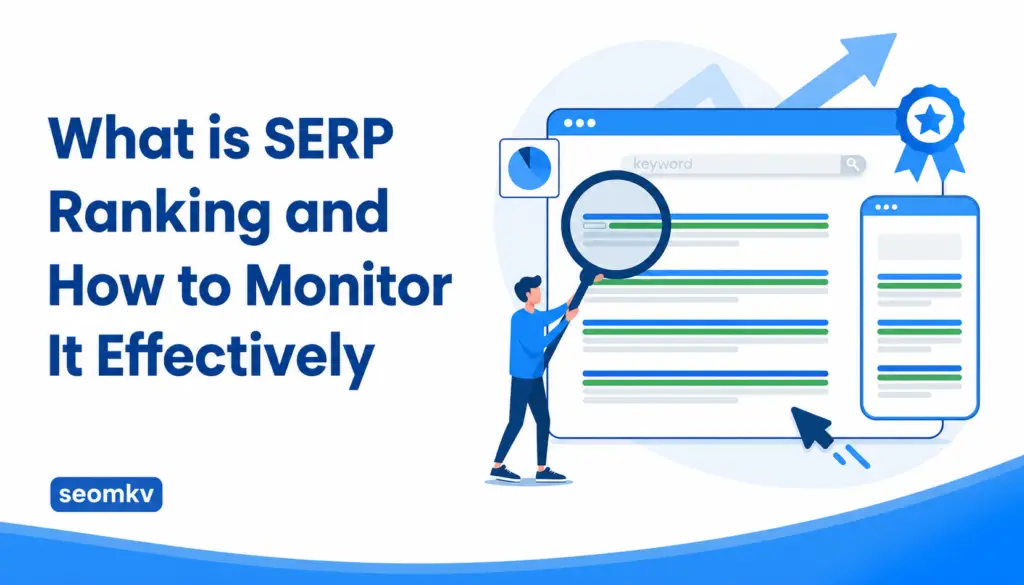
What is SERP Ranking #1 and How to Monitor It Effectively

Have you ever wondered why some websites show up at the top when you search for something What is SERP Ranking? That’s called SERP ranking, and it helps people and businesses get noticed online. When you search on Google or other search engines, what you see in the results depends on where a site ranks. Getting a better SERP ranking means you’ll get more visitors to your website. This guide will explain what a search engine results page is, why it’s important, and how you can keep track of your ranking to help your web page get more attention. We’ll also talk about SERP ranking and how it can help your business grow. What is SERP Ranking Results Page (SERP)? A search engine results page (SERP) is the list of results you get after typing something into Google or Bing. When a user enters a question or search terms, the search engine uses its algorithm to scan millions of web pages and choose the most relevant results. The search results include all kinds of things: organic results, paid ads, featured snippets, images, news articles, and sometimes even a video carousel. SERP features help you find the direct answers you want. It’s mostly everyone’s goal to reach the first page of organic search results since more people will see your website there. The Importance of SERPs for Search Engine Optimization (SEO) SERPs make a huge difference for SEO, which is all about making your website show up higher in search results. Every website owner wants their site to appear in the top results pages. If you want higher rankings and more visitors, you need to focus on what shows up on the Google SERP. Monitoring the search engine results page helps you know what works and what doesn’t. You’ll see which sites, SERP features, and keywords are helping sites like yours succeed. By understanding the Google search results for the keywords you care about, you’ll make smarter choices to help your page rank higher every time someone searches. 5 Ways to Improve Your Google SERP Position It’s not easy to climb the rankings on Google. There’s a lot of competition for that first page spot. You can’t just throw some keywords on a page and hope for the best. You need a plan. Let’s look at five ways to boost your place in the search results. 1. Keyword research The first step in ranking higher is smart keyword research. This is where you figure out exactly what people are searching for in your industry or niche. With tools that show you search volume and keyword difficulty, you’ll know if people are looking for what you’re offering and if the competition is tough. Choose target keywords that relate to your topic, match the user’s query, and have a good chance of bringing in visitors. Good keyword research sets you up for success on the SERP and makes sure your content is relevant for both users and search engines. 2. Create high-quality content Content is at the heart of everything in SEO. Google’s search engine results page shows the most helpful, well-written, and unique information at the top. To rank in organic search, your website needs to answer questions better than anyone else. Use examples, steps, photos, or simple explanations so anyone can understand. Add structured data if possible. Think about what a user wants: Quick answers, full explanations, or maybe inspiration? Creating great content has helped many sites win top rankings, and it can help you, too. 3. Make it mobile-friendly Most people use their phones more than computers to search. If your web page doesn’t look good on a phone or tablet, people will leave. Google gives better rankings to mobile friendly sites. Make sure your text is readable, links are spaced out, and the website loads quickly. If your site works for everyone on any device, your position on the search engine results page will improve. It can be the difference between being seen or getting ignored, especially with mobile-first indexing now a big ranking factor. 4. Improve your site’s backlinks Backlinks act as votes of trust for your website. When another trusted site links to your web page, Google takes it as a sign that your content is valuable. Link building takes time, but it’s one of the biggest ranking factors. You can get backlinks by making helpful guides, tools, or articles that people want to share. You might even write for other sites or get listed in directories related to your topic. More quality backlinks help your site climb to higher rankings in the search engine results. 5. Prioritize user experience User experience (UX) is about making your site easy and enjoyable to use. Websites that are confusing or slow get pushed down in the Google search results, no matter how good their content is. If people click your link and then quickly leave, that’s called a bounce, and it can hurt your rankings. Focus on making your site simple to navigate, fast to load, and pleasant to read or look at, and  even add things like star ratings if possible. The better your user experience, the more likely your page is to land near the top of organic results. How Tracking SERPs Can Elevate Your Business? Checking your site’s place on Google isn’t just for SEO experts. It helps any business be smart about reaching the right people. When you monitor where you appear on the search engine results page, you can make changes to attract more visitors and beat your competition. Let’s see how tracking SERPs makes a difference. It Shows You What Google and Your Audience Want Watching the SERP gives you a window into what works. If you check the top spots, you’ll see which pages Google likes, what users are clicking on, and which search results get featured. User intent: What do people really want when they search for something? That’s user intent. Looking at the first page of results helps you figure out what users and Google value: are people after information, shopping,

voice search optimization strategies
Blog

Voice Search Optimization Strategies: 7 Best SEO

Voice Search Optimization Strategies keeps growing as more people talk to their phones or smart speakers. Many voice search users want quick help, and they usually ask full questions instead of short terms. When you think about how voice search queries shape what we read online, it feels clear that writers must pay attention. Voice search SEO pushes us to write naturally, and search engines reward sites that do this well. Voice search results also reflect how people really speak. If we use simple ideas and steady search optimization, we can reach more readers. A website for voice search works best when it sounds like a real person. These voice search queries tend to feel casual yet focused, and that is what makes them special. What is Voice Search Optimization? Voice search optimization efforts help your site appear when someone speaks into a phone or smart speaker. Many voice searches happen every single day, and people want answers that make sense right away. With voice search, people expect clear replies, even if the question is long. Voice search SEO plays a big role because search engines try to match how people talk. Voice search results often pick answers that feel natural. When you apply strong search optimization, your site becomes easier to find. A website for voice search should reflect how real conversations sound. These voice search queries tend to flow like everyday speech, and that is why they matter to content creators. Top 4 Metrics to Track Voice Search Optimization Strategies Tracking your voice search work can feel confusing at first, but it gets easier. Voice search users speak freely, which leads to different patterns. A website for voice search benefits from steady voice search SEO growth. Many voice searches sound simple but carry real meaning. Search engines use these signs to find the best match for you. Voice search results often depend on small details. Search optimization is more than guessing keywords. With careful checks, you can see how voice search queries tend to affect behaviour. For businesses in specific regions, like those offering SEO Gloucestershire services, voice search can help connect with local audiences effectively. 1. Conversion rate Conversion rate tells you how many visitors take action after landing on your site. Many voice searches come from people who want answers fast, so a clear page matters. Voice search users look for simple steps, and search engines reward helpful pages this way. Voice search results show your site when your message is clean and direct. Search optimization helps you guide your visitors to the right choice. When voice search queries tend to match your page, your rate improves. The website for voice search must support actions that work smoothly on mobile devices, since people often speak on the go. 2. Engagement Engagement measures how long people stay on your site or how much they explore. Voice search queries tend to bring curious readers who want more. Many voice searches start with a question that needs a deeper reply. Voice search SEO boosts your presence by answering questions clearly, and search engines notice when your page holds attention. Voice search optimization helps keep the tone friendly and steady. Thus, a website for voice search must reflect natural conversation to keep readers involved. Voice search results can improve when users stay and learn. Businesses offering local SEO services UK can use voice search to better connect with regional audiences. 3. Intent Intent shows why someone asks a question in the first place. Many voice searches carry a clear purpose. Voice search users might want directions, facts, or steps. Search engines use intent to match pages with real answers. Voice search SEO also supports this by shaping content in a friendly style. Voice search optimization helps writers think as speakers do, and voice search results respond best to direct meaning. A website for voice search should show that it understands what people hope to find, as voice search queries tend to reveal strong clues about the user’s goal. 4. User fallout User fallout tracks where people leave your site. Many voice searches move fast, so visitors will exit if they cannot find what they need. Voice search users expect quick clarity. Voice search SEO reduces dropout by guiding readers this way. Search engines rank pages that stay steady and clear, so voice search results favour content that keeps people from leaving too soon. Voice search queries tend to show intent, but your page must still help. A website for voice search must keep the message simple. Voice search optimization helps smooth the journey. For expert advice, SEO consultants London can help businesses refine their voice search strategies to improve performance. How to Optimize for Voice Search SEO Content? Natural language processing plays a strong part in shaping how people find answers online. Search engines want pages that sound like real talk. Google Assistant and other voice assistants listen for simple meaning. Smart devices often choose a direct answer. Search engine algorithms connect voice queries to your page, so make sure you follow this structure. With voice search technology growing, writers must focus on user intent so that voice search helps people find results quickly. Let’s explore how to create content for voice search with care. Choosing a topic: Picking a topic for voice search starts with asking what users want. Many people speak to mobile devices when they need something quickly. Local SEO strategies play a part when people look for nearby help, and long tail keywords support these questions. Local voice search queries guide business owners mostly, but local searches rise when people want real direction, so it’s starting to apply to all kinds of audiences. All in all, local conversational keywords help bring traffic. Today, common voice search queries reflect daily needs. Local business owners benefit from a Google Business Profile for a stronger reach, though. Structuring answers: When you structure answers, keep the tone simple. Search engine visibility grows when readers understand your message. Search engine rankings improve with clear steps. Search engine results pages often select short, structured data, so

referring domains
Blog

5 Referring Domains & Their Powerful Impact on SEO

Referring domains carry more weight in SEO than most businesses initially realize, partly because their influence builds quietly but steadily. When an external website points to your content, search engines read that action as a sign of relevance and trust. Over time, those signals stack into a broader picture of your authority, shaping how your pages compete in search results. Companies often chase more backlinks without considering where they come from, yet the quality of these relationships matters far more. Understanding how referring domains shape visibility gives you a clearer path toward sustainable, long-term growth in a crowded digital space. What Is a Referring Domain? A referring domain is simply one website sending one or more backlinks to your pages, but the impact goes deeper than that simple definition. Search engines treat these relationships much like personal recommendations, where quality and reputation matter as much as the link itself. When one referring domain consistently brings visitors to your target site, it slowly reinforces your credibility. Even two referring domains can influence how search engines understand your content’s relevance. The more contextually aligned the source, the clearer the signal becomes, helping shape how algorithms interpret the value and reliability of your information across the entire site. The Importance of Referring Domains in SEO Referring domains are important for SEO because they offer a broader dimension of trust that single backlinks cannot replicate. Search engines look at how many unique referring domains point to your content, not just how many links you accumulate. That distinction shapes your backlink profile more accurately, revealing whether other websites genuinely recognize your material. When multiple backlinks come from only one website, the signal is weaker than a diverse group of linking domains. Higher diversity shows that referral domains across different industries see your content as useful. That recognition strengthens your authority and encourages more organic traffic to your target website. Search engine ranking factors improvement – Referring domains and backlinks work together to lift your visibility by signaling that other websites value your information. Search engines consider these signals when evaluating ranking factors, and even one referring domain can influence how your pages compete. A broader mix of unique referring domains usually leads to stronger authority and improved placement across competitive search results. A boost in domain authority and traffic – Quality referring domain links support steady authority growth by demonstrating trust from external domains. When search engines see links pointing to your pages from relevant sources, they view your content as more credible. That recognition helps drive more organic traffic and reduces the risk of ranking drops caused by weak or spammy backlinks. How to Check Your Referring Domains? To check referring domains effectively, you need visibility into where your links originate and how they influence performance. Most teams use SEO tools with a referring domains checker to track this data. The goal is not just to count the number of referring domains but to understand their quality. Analyzing referring domains gives insight into authority score trends, linking websites, anchor text variety, and the presence of spammy referring domains. This kind of backlink checker tool profile analysis helps identify both strengths and risks. Over time, you can refine your link building efforts by focusing on influential referring sites instead of low quality websites that distort your progress. Linking pages: Linking pages show exactly where sites linking to you send traffic. When one web page on an external website connects to your content, it becomes part of your backlink profile. If two backlinks from different pages appear, they help strengthen the relevance of your material. These insights guide adjustments to your link building strategy. Target pages: Target pages reveal which parts of your content attract links pointing to your domain. By tracking where referral domains land, you understand the strengths and weaknesses of your structure. Some areas may naturally earn more backlinks, while others need support. This visibility helps shape a focused content marketing plan for long-term growth. 5 Strategies to Get More Referring Domains Gaining new referring domains requires a deliberate approach because not all domains are created equal. Building authority depends on earning links from other websites that genuinely trust your expertise. Effective link building efforts start with listening to what competitor websites already target and identifying opportunities they overlook. A strong link building strategy also relies on high quality content that answers real problems. When analyzing referring domains, patterns emerge that help you understand where your strongest opportunities lie. Over time, these tactics create a steady flow of new referring domains that support your authority and improve the website’s reputation in competitive markets. 1. Guest posting Guest posting remains a steady way to earn referral domains because it allows you to showcase expertise on linking sites that already have established audiences. When your content resonates, those websites link back naturally while sharing your insights with readers who trust them. This creates a healthy exchange where you provide value and receive visibility. Over time, this approach helps strengthen your backlink profile by adding unique referring domains rather than repeating links from the same root domains. By choosing publications aligned with your niche, you create a pathway for high quality backlinks that continue supporting your authority and driving more organic traffic. 2. Create Better Content Than the Competition Creating better content than competitor websites often feels like an endless chase, yet it remains one of the most dependable ways to attract more backlinks. High quality content draws interest because other websites link to material they believe adds depth for their readers. When your blog post surpasses existing information, it naturally becomes the preferred reference point. This process helps attract new referring domains without aggressive outreach. Consistency matters because creating high quality content regularly increases the number of referring domains you earn over time. When people view your work as more useful than alternatives, they reward it with natural links that strengthen your authority. 3. Identify Your Web Pages with the Highest Number of Backlinks Some pages naturally gather more backlinks because they answer a question clearly or provide

Core Web Vitals for Optimal Website
Blog

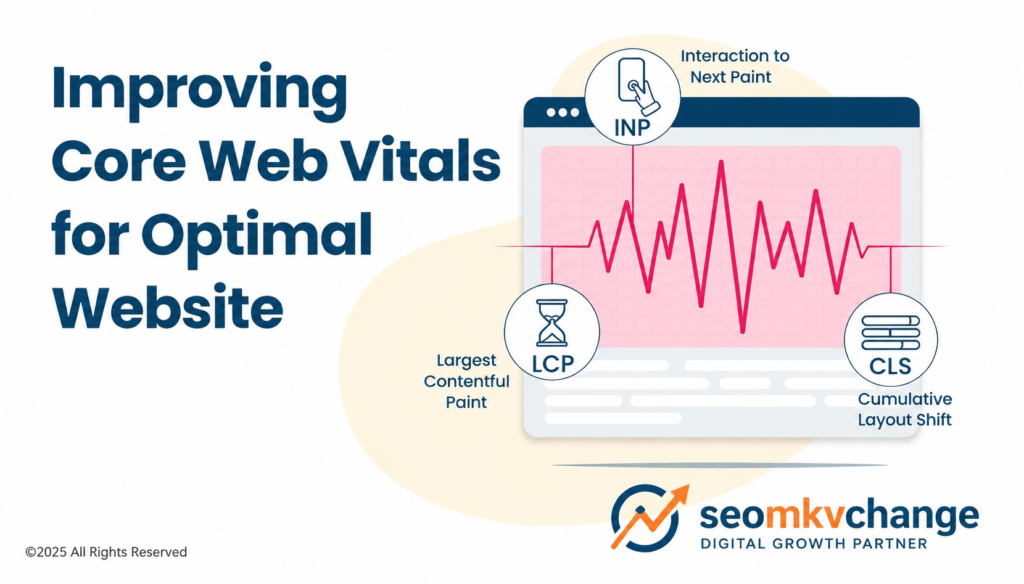
5 Best Core Web Vitals for Optimal Website Perform

Website performance is key to delivering a smooth user experience and driving results. A big part of this is improving Core Web Vitals for Optimal Website. These Google-introduced metrics focus on how users experience loading, interactivity, and visual stability on a webpage. What are Core Web Vitals for Optimal Website? Google’s Core Web Vitals are essential metrics for a healthy website. They measure how user friendly a website is based on load time, visual stability, and interactivity. Pages that perform well on this set of metrics provide a great user experience, which can reduce bounce rates and improve website performance. Core Web Vitals Metrics There are three core web vitals. The other metrics supplement these and help provide a good user experience or diagnose a specific issue. Largest Contentful Paint (LCP) Largest Contentful Paint (LCP) is a core web vital that measures how long it takes for the biggest visible element on a webpage to load. Ideally, every page on your site will load the LCP within 2.5 seconds. LCP Issues At Visibility SEO Writing, we know how important LCP is. It measures how long it takes for the main part of a page, like a big image or text block to show up. If the server takes too long to load the first piece of HTML, the LCP score can drop into the “bad” range. Why does this happen? Here are the main reasons: Slow server response times due to budget hosting  Slow server response times can hurt your LCP (Largest Contentful Paint) score. This often happens with shared hosting or crowded servers. When the server is slow, the main parts of your page take longer to load. That delay causes a chain reaction, slowing down the rest of the content. WordPress sites are dynamic, meaning they pull content from a database. If the server hosting the database is slow, it takes longer to load your page’s biggest element. This drags everything down. Cheap hosting can also harm your Time to First Byte (TTFB), the time it takes for your server to send the first piece of data to the browser. A slow TTFB often leads to a bad LCP score. On shared hosting, resources like CPU and RAM are split between many websites. If your site doesn’t get enough of these resources, it won’t load as quickly as it should. Render-blocking JavaScript and CSS introduced by certain themes and plugins Render-blocking resources are scripts and stylesheets that stop a web page from loading until they’re fully processed. This slows things down. When WordPress themes or plugins add elements that block rendering, it delays how fast the main content appears. This can hurt your website’s performance and cause it to fail the LCP (Largest Contentful Paint) test. For WordPress sites, simple is better. The trick is finding a balance between how your site works and how fast it loads. That’s the key to passing Core Web Vitals and keeping your site running smoothly.  Unoptimized images  According to the Web Almanac, “72% of mobile pages and 82% of desktop pages have images as their largest content.” High-quality images often have large file sizes. If they’re not optimized, they take longer to load because they need more data. This can slow down your website. Unoptimized images can also cause other problems. Some browsers may struggle to display certain image formats or need extra processing to decode them. This adds more time to how long it takes your page to fully load.   Techniques to Improve LCP Largest Contentful Paint (LCP) is one of the hardest Core Web Vitals to fix. We see it all the time at Visibility SEO, 40% of websites in the Chrome UX Report fail to meet the LCP benchmark for a good user experience. That’s a big deal because slow loading times frustrate users. The good news? The Chrome team has shared some clear tips to improve LCP. These are the strategies we recommend to our clients to make sites faster and keep visitors happy. Ensure the LCP resource is discoverable from the HTML source and prioritized  What We’ve Learned About LCP (Largest Contentful Paint): Most LCP elements on mobile pages are images. About 73% of mobile pages have an image as their LCP element, according to the 2024 Web Almanac. Slow loading is a big issue. On sites with poor LCP, less than 10% of the loading time is spent downloading the LCP image, but delays on the client side add over 1,290ms more than half the time needed for a fast load. HTML matters. 35% of these images can’t be found in the initial HTML, which delays loading. Simple fixes that can help <img src=”…”> or <link rel=”preload” href=”…”> Prioritizing images works. Only 15% of eligible pages use the fetchpriority attribute to load important resources faster, but it makes a big difference. What Can You Do? If your LCP is an image, make it easy for browsers to find and load it early. Here’s how: Use  <img> with src or srcset. Avoid attributes like data-src that need JavaScript to work, they’re slower. Use server-side rendering (SSR) instead of client-side rendering (CSR) so images are in the HTML. Preload images with <link rel=”preload”> if they’re in CSS/JS files. Inline styles don’t work with the browser preload scanner. Speed Things Up: Add fetchpriority=”high” to  or preload tags. <img fetchpriority=”high” src=”/path/to/hero-image.webp”> Remove loading=”lazy” from the LCP image. Lazy loading delays image display. Defer non-essential resources like lazy-loaded images or iframes to keep the focus on the LCP image. At Visibility SEO, we help clients understand these issues and make their sites faster. If you want to improve your LCP and SEO, let’s chat! Aim for instant navigations   The best user experience means never waiting for a page to load. LCP (Largest Contentful Paint) optimizations like prioritizing resources can help, but there’s only so much you can do to speed up loading times. At some point, making pages even faster takes too much effort for too little gain. To achieve instant loading, we need a new approach. Instant navigation works by loading pages before you click

seo writing
Blog

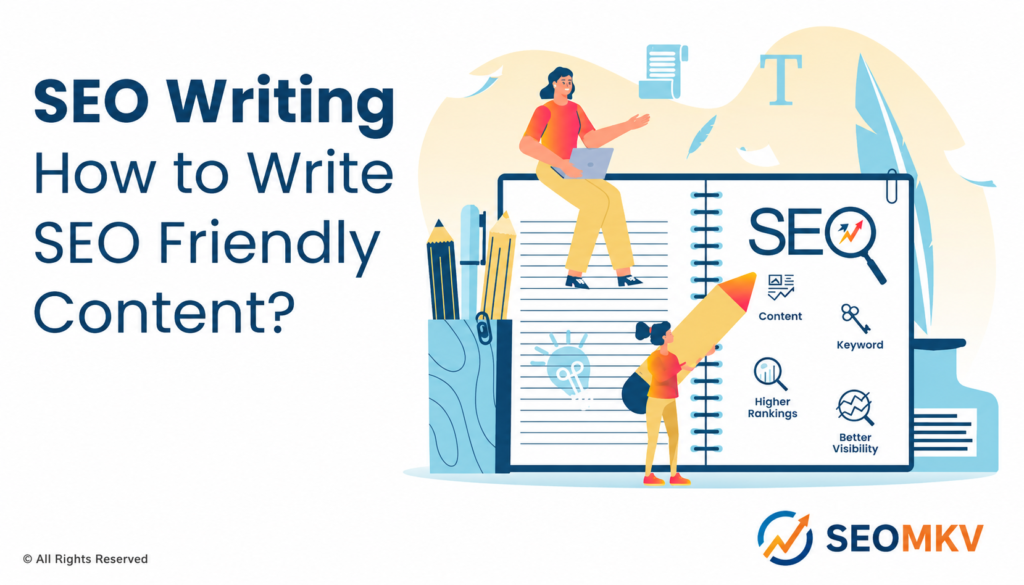
SEO Writing: How to Write SEO Friendly Content?

SEO writing is about creating content that works well for search engines like Google. When you use SEO content writing services, you make your website easier to find. SEO friendly content blends SEO in content writing with readability, so people and search engines both benefit. By practicing SEO content writing and proper SEO writing, you attract more visitors. Good SEO content writing doesn’t just improve SERP rankings; it keeps readers interested and coming back. If you are a content writer, knowing search engine optimization techniques helps you create top-notch content. What is SEO Writing? SEO writing refers to content creation intended for search engine indexing. The authors integrate determining keywords, related keywords, and the search terms that people use in their search queries. Also, they work with meta descriptions, internal links, and external links to enhance their search engine position. The process of creating content for SEO is a matter of finding a compromise between the readability of the text and the positioning of the keywords. SEO writers’ goal is to make pages useful, and at the same time, the SEO content will be ranked high in the search results. The knowledge of writing content strategically already means that every piece of content has been completely optimized. Why is SEO Writing Important? Is SEO writing crucial? Yes, definitely. The absence of it may lead to your website being buried deep down in the infinite search engine results. Hiring these services or being aware of how to produce SEO content is crucial to ensuring that your pages appear at the very top when people input search queries. Writing SEO content will bring more traffic from search engines and, consequently, more visitors to your site. Most users give credibility to websites that are at the top of the lists by search engines. Along with SEO content writing, customers are reached and engagement is increased. Suggestions for using the appropriate keywords can result in better content marketing outcomes and ultimately more sales. Better Visibility One big reason to focus on SEO writing is better SEO visibility. Optimized content with target keywords and relevant keywords shows up in search results, attracting more readers. When your web pages rank high, site visitors find you more easily. Writing content for SEO helps you appear in more search queries, which drives traffic. SEO content writing also builds authority. Google favors high-quality content that matches search intent, so good SEO writing matters. Even using short paragraphs helps screen readers and keeps your audience engaged. More Backlinks More backlinks come naturally from great SEO content writing. When other websites see useful SEO articles, they link back to you. Writing content with relevant keywords makes your pages worth linking to. More high quality backlinks increase trust and boost search engine rankings. Content with SEO adds depth, attracts internal links, and external links naturally. Backlinks also spread authority across web pages, helping you rank higher in search engines. Including a few bullet points with key points can make your content more shareable. Higher Rankings Higher rankings are the result of strong SEO content writing. Using SEO keywords, meta descriptions, and internal links helps pages appear at the top of search results. When your SEO content matches search intent, organic traffic increases. Writing content for SEO ensures your web pages are both readable and optimized. SEO writers know that SEO content drives targeted site visitors and improves search engine rankings, which makes Google favor your web pages. Properly optimizing content techniques and including a meta title improves your visibility even further. The Difference Between SEO Writing and Content Writing SEO writing and content writing are not the same, even if they overlap. Feature SEO Writing Content Writing Focus Boosting website visibility and ranking on search engines Creating valuable, engaging, and informative content Purpose Attract organic traffic through keyword optimization Educate, entertain, or inform the audience Keywords Carefully researched and strategically placed Used naturally without strict optimization Optimization Structured for SEO with meta tags, headings, and internal links Prioritizes readability and flow Goal Drive targeted traffic and improve search performance Build trust and maintain audience engagement 15 Best Practices for Incorporating SEO In Your Writing Following best practices makes your SEO content writing more effective. Here’s a guide to creating content with SEO that ranks and engages readers. This step-by-step guide also helps content writers optimize their content for each particular search term. 1. Generate a List of Content Topics Start with topics people actually search for. Think about common questions and search queries. This step guides content creation and helps you write content that meets search intent. A list of topics also helps plan your content strategy and ensures your web pages attract the right site visitors. 2. Turn Your Topics Into Keywords Once you have topics, find target keywords and related keywords. These are terms users type into search engines. Using keywords naturally helps SEO writing. SEO writers include them in titles, meta descriptions, and throughout the web content. Keywords related to your topic guide content optimization and improve search engine rankings. Using the right keywords makes each content piece more effective. 3. Outline Content To Match Search Intent Plan your SEO content to answer questions your readers have. Search intent matters because it tells you what users want. Outlining content this way ensures SEO writing is helpful, not just optimized. Writing content with keywords related to the topic also improves organic traffic. Pages that match search queries get more clicks and keep visitors longer. Using long-form content here can satisfy readers fully. 4. Write Comprehensive Content Cover topics fully. Comprehensive content satisfies search intent and builds trust. SEO content writing with multiple keywords helps web pages rank for several search queries. Long-form content works well when it includes related keywords, internal links, and clear explanations. Readers tend to stay longer on pages with high-quality content, which improves search engine rankings. High-quality content ensures your site becomes a go-to resource. 5. Use Your Keyword in Your Content Your target keyword should appear in: The URL for the page is so it’s

Scroll to Top