Author name: Kasi Viswanadham

Experienced SEO Expert and Digital Marketing Specialist with over 5+ years of hands-on experience in helping businesses increase organic traffic, improve search engine rankings, and grow their online visibility.

What Is Google E-E-A-T in SEO
Blog

What Is Google E-E-A-T in SEO? 7 Reasons Why It Is Important

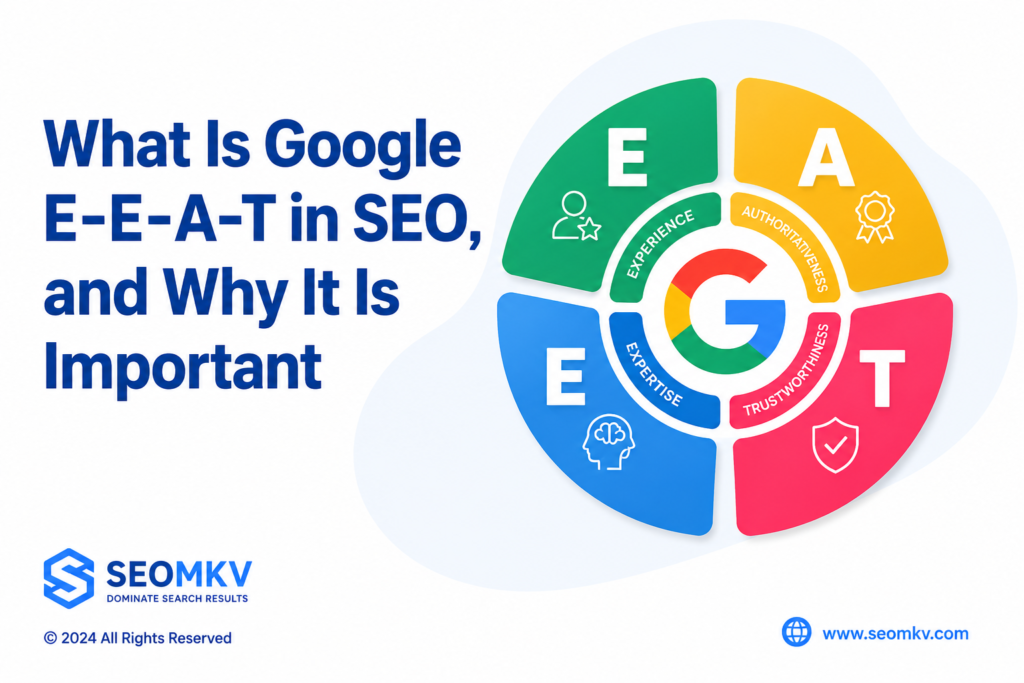
E-E-A-T stands for Experience, Expertise, Authoritativeness, and Trustworthiness. It’s part of Google’s Search Quality Evaluator Guidelines (SQEG). These guidelines help people who review Google results decide if the information is helpful and accurate. Here’s the thing: E-E-A-T isn’t a ranking factor. Google doesn’t use it directly to rank websites. But, as an SEO agency, we at Visibility SEO know that following its principles can help. Why? Because it shows Google that your content is trustworthy and high-quality. If you want your website to do well, focus on creating content that’s reliable, useful, and easy to understand. That’s what E-E-A-T is all about. And trust us—it makes a difference. What Is Google E-E-A-T in SEO? Google’s guidelines and blog updates explain why E-E-A-T matters. E-E-A-T stands for Experience, Expertise, Authoritativeness, and Trustworthiness. These four things help websites rank higher on search engines. This article will break down each factor and show you how to use them in your content. If you want your website to show up more in searches, understanding E-E-A-T is a must. Let’s get started! Experience Show that you know what you’re talking about by proving your experience. Share stories, examples, or real-life results. This shows your advice is tested and practical. Here are some simple ways to show expertise in E-E-A-T: Share personal stories: Make your content unique. Add your opinions and experiences. For example, if you’re an SEO expert, don’t just list facts. Write original content that reflects what you’ve done and learned. Show case studies: Prove your methods work. For instance, we’ve helped clients grow organic traffic by 367% and boosted SEO scores by 60%. Real results speak louder than words. Explain your steps: Break it down. Don’t just give tips—explain why they work. If you’re giving advice on SEO, share the reasons behind your suggestions. Highlight lessons learned: Talk about successes and failures. Share how your process has changed over time. For example, explain how using ChatGPT prompts has improved how you work. Discuss industry changes: Show you’re up-to-date. Talk about new trends or shifts in your field and how they’ve impacted you. Explain what you’ve adjusted and why it matters. Share collaborations: Talk about working with others. For instance, we’ve noticed how updates like Helpful Content have affected creators, so we wrote this to help. Collaboration shows you’re active and engaged in your field. Keep it real. People trust advice backed by real stories and results. Expertise Showing expertise is not just about what you know but how you use that knowledge to help others. Expertise means having deep knowledge and skills in a specific subject. Here’s how to show it in E-E-A-T: Start with a focus. What’s your niche? Pick a specific area you’re good at and stick with it. For us, as a content marketing platform, we’re all about things like social media content pillars or content calendar templates. BBQ reviews? Sure, they might rank well for SEO, but… that’s just not our lane. Share content hat actually helps people. High-quality, original, up-to-date content—stuff your audience can use. Case studies? Yes, absolutely. They’re gold when it comes to providing real value. Don’t stop at writing blog posts. That’s important, sure, but think bigger. Share your insights on LinkedIn, host a webinar, or maybe even set up a Q&A session. Why not create a space where your community can actually, you know, connect? Authoritativeness Website authority means being seen as credible and influential in your field. Search engines often measure this through backlinks from trusted sources. To build authority, focus on the following strategies: Highlight affiliations: Show partnerships with official organizations or recognized experts. For example, share reviews from platforms like G2 or Capterra. Brand mentions: Google recognizes when your brand name appears on other websites, even without a link. Being listed as a top tool in your niche helps establish credibility. Guest posts: Write for popular blogs or websites in your industry to connect your brand with trusted platforms. Author bios: Include an about page, team page, or bios for guest writers with real credentials and social links. This signals that your site is run by real people. Publish original research: Create statistics or reports that others can reference and link to. This positions your site as a trusted source of information. Trustworthiness Trust is the core of Google’s E-E-A-T guidelines. Quality Raters evaluate the creator, content, and website to ensure honesty, accuracy, and ethical practices. Avoid misleading content, manipulation, or black-hat SEO techniques. Here are key trust factors beyond your blog content: HTTPS: Websites without SSL certificates create security risks. For online stores, this can expose user passwords or credit card details to hackers. Always secure your site. Customer reviews: Reviews on your Google My Business Page or review sites show how customers feel about your products or services. Being listed in reputable directories helps build authority, but avoid links from untrustworthy sites. Contact details: Make it easy for users to reach you. Include a privacy policy, terms of service, phone number, or email address for support. Updated content: Keeping your content current shows search engines that you’re not an AI spam site but a credible source that values visitors. Social media links: Real businesses with real customers often have active social media accounts. Link these accounts on your website to confirm legitimacy. User experience: Avoid cluttered designs or excessive ads. A clean, user-friendly site signals to search engines that your content is created for users, not just for ad revenue. The Difference Between E-E-A-T and E-A-T In December 2022, Google updated E-A-T to E-E-A-T. The extra “E” stands for “Experience.” This change helps Quality Raters better assess search result quality, emphasizing the importance of first-hand knowledge of content. For instance, product reviews are more reliable when the reviewer has personally used the item. Evaluating E-E-A-T E-E-A-T is important for evaluating the quality and credibility of online content. Google’s Quality Rater Guidelines outline how quality raters assess search results. These guidelines ensure that Google Search delivers accurate and trustworthy content. Content creators who follow these principles can improve their chances of ranking higher in search results. Quality Rater E-E-A-T Guidelines Google’s Quality Rater Guidelines help
What Is Image Alt Text
Blog

What Is Image Alt Text? 7 Best Reasons Why It Matters for SEO

When we think about SEO, many of us focus on text, keywords, and links. But images also play a big role. That’s where image alt text comes in. Alt text helps search engines understand what an image is about. It also improves user experience and accessibility. This article explains why image alt text is important and how to write it well. What is Image Alt Text? Image alt text, or alternative text, is a short description you add to an image on a website. It tells browsers and search engines what the image shows if it can’t load properly. Also, screen readers use alt text to describe images for people who cannot see them. Image Alt text should be clear and relevant, helping both users and search engines. Image alt text is not visible on the page itself but is hidden in the image’s code. When you hover over an image or if the image fails to load, the alt text may appear instead. It is a simple yet powerful tool for SEO and accessibility. Why is Alt Text Important? Alt text is important because it helps search engines understand your images. Search engines can’t “see” images like humans do, so alt text acts like a label. This means your images have a better chance to appear in image search results, which drives more visitors to your site. Alt text also improves accessibility. People using screen readers rely on alt text to understand what images show. Without alt text, important information can be missed. Plus, well-written alt text can enhance the overall user experience on your site. Add context to boost image search visibility Adding context through alt text makes images more visible in search engines. When you describe an image clearly, search engines can rank your page higher for relevant searches. This means more people can find your content when they look for similar images. Context in alt text helps search engines connect the image to the page content. For example, if your page is about coffee brewing and the image shows a coffee machine, the alt text should mention the coffee machine and how it relates to brewing. This extra detail helps boost your SEO. Enhance UX and drive image clicks Good alt text improves user experience (UX). When users see meaningful descriptions or hover text, they understand images better. This can encourage them to click on images or stay longer on your page. Better UX leads to more engagement. If visitors find your images useful, they are more likely to explore your site. From our experience as an SEO agency, clear alt text has helped many clients increase both page views and image clicks. Boost access for visually impaired users Alt text is essential for people who use screen readers because they can’t see images. The screen reader reads the alt text aloud, allowing visually impaired users to understand the content. This makes your website more inclusive and user-friendly. We always remind our clients that accessibility is not just about rules but about real people. Adding alt text ensures everyone can access your content, which is both ethical and smart for business. How Alt Text Affects SEO Alt text affects SEO by giving search engines clues about your images. When you add relevant and descriptive alt text, your images can rank in Google Images and other search engines. This can bring in organic traffic from people searching for pictures or information. Besides helping with ranking, alt text also contributes to the overall SEO health of your page. It supports your keywords naturally and signals that your content is detailed and user-friendly. Image Alt Text Best Practices Writing alt text requires care. The text should be brief but descriptive, telling exactly what the image shows. Avoid stuffing keywords or writing too little, as both hurt SEO and accessibility. We advise balancing keywords with natural language. Alt text should sound like a helpful description, not a list of words. It’s about making the image understandable to everyone, including search engines. Keep Keyword Usage Balanced and Organic Using keywords in alt text is helpful, but overdoing it is not. If you force keywords into every alt tag, it can look spammy to search engines. Instead, use them naturally where they fit. For example, if the image is of a blue running shoe, saying “blue running shoe” once is fine. But repeating “running shoe, running shoe” will not help. Keep it balanced and organic for the best results. Explain the Image in Context of the Page Alt text should relate to the page topic. If the page talks about healthy recipes, and the image shows a salad, the alt text should say something like “fresh green salad with tomatoes.” This ties the image to the page content. We often see alt texts that describe images too generally. When alt text fits the page’s theme, it boosts SEO and makes the page clearer for users. Provide a Detailed Description of the Image While alt text should be brief, it must also describe the image clearly. Saying “dog” is too vague. Better to say “brown dog playing with a red ball.” This gives more detail without being too long. Detailed descriptions help search engines and users understand what the image truly shows. It’s about balance—detailed enough, but not too wordy. Avoid Forcing Your Keyword Into Every Image’s Alt Tag It might seem useful to include your main keyword in every image’s alt text. But forcing keywords where they don’t belong can actually hurt your SEO. Search engines and screen readers notice when keywords are repeated too much. This looks like keyword stuffing and can lower your ranking. Also, it makes your alt text less helpful to users. We always tell clients to write effective alt text that sounds natural. If an image isn’t directly related to your main keyword, avoid forcing it in. Instead, use appropriate alt text that honestly describes the image. For example, if your keyword is “organic coffee,” but the image shows a coffee

What Are Search Terms
Blog

What Are Search Terms? 7 Ways to Optimize Your Content

Every day, tons of content gets posted online. So, how do you make sure your audience finds you? At SEOMKV, SEO, we know the answer: focus on the right search terms. These keywords help people discover your business or creations. By using them, we can boost your online presence, bring more visitors to your site, and help you connect with your audience. That’s how we cut through the noise and make sure your message gets seen. What are Search Terms? {searchterms} are the words or phrases users enter into search engines when looking for information, products, or services online. Think of the last thing you typed into the search box on Google—that was a search term. These terms connect users with the information on the internet, helping search engines deliver relevant results. Understanding search terms is the first step to improving your content’s visibility and engagement. The Importance of Search Terms what is search term give insights into what potential customers want. Analyzing these helps businesses understand user behavior and preferences. This knowledge helps in optimizing content and tailoring ads to match user intent. Incorporating relevant search terms into marketing increases visibility, engages a broader audience, and grows your business. This approach improves reach and ensures efficient use of advertising resources, leading to better returns. Using SEO Search Terms to Reach the Right Audience SEO focuses on search terms and keywords. For example, looking at the organic results for “buy a car,” Google wants to give users relevant and quality info. That’s why it uses an ever-changing algorithm to rank websites. To show up at the top, a site must be seen as trustworthy and have content matching the Google search terms. Building Domain Authority involves getting linked by other credible sites, while Page Authority comes from creating engaging, shareable content. This is a slow and steady process that takes effort. Content should align with the main keyword. If a Boston sports blog wants to rank for “Tom Brady,” the keyword should appear in the article, title, headline, URL, subheadings, body, and even image names and alt texts. While Google frowns upon stuffing too many keywords, using them smartly is key to relevance. search term and Keywords in PPC Advertising When it comes to PPC advertising, picking the right search terms and keywords is super important. Think of keywords as the main words or phrases people type into Google when they’re looking for something. If we want to target “Boston sports gear,” then those words need to show up in the ad and the landing page. Simple, right? But here’s the catch—it’s not just about cramming those words everywhere. Google doesn’t like keyword stuffing, and honestly, neither do users. At seomkv SEO, we once helped a small sports shop rank higher by focusing on smart keywords like “affordable Patriots jerseys.” We didn’t just toss the phrase everywhere. We used it in the ad, description, and headers where it made sense. This approach got them more clicks without wasting money. Keywords are all about balance. Use them wisely, and they can lead people straight to you. Types of Search Terms Short-Tail vs. Long-Tail Terms Short-tail keywords, usually one or two words, are broad and challenging to rank for. They drive lots of traffic but may not always reach targeted audiences. On the flip side, long-tail keywords, made up of three or more words, are more specific and less competitive. They attract more qualified leads and convert better, though they bring in less traffic. Intent-Based Terms Search terms reveal intent—what’s the user really after? Maybe they’re looking for info, directions, or are ready to buy. Sometimes it’s research. But here’s the thing: if your content doesn’t match that intent, you lose them. So, ask yourself—are you guiding them or just hoping they stick around? Branded vs. Non-Branded Terms Branded terms are all about people who already know your brand. They convert well because, hey, they’re already interested. But non-branded terms? That’s where it gets trickier. Broader, more generic. They’re your shot at reaching new folks who don’t know you yet. Tougher, but worth it. How to Find Search Terms Finding the right search terms is key for creating content that clicks with your audience and improves online visibility. Using Google Autocomplete Finding the right keywords can feel tricky, but it doesn’t have to be. One simple way I’ve used is Google Autocomplete. You know when you start typing something into Google, and it suggests ideas before you finish? That’s Autocomplete. It shows you what others are searching for. If I type “best running shoes,” it might finish it with “for kids” or “for flat feet.” These suggestions can tell us what people want to know. At seomkv SEO, we’ve used this to help clients create better content. For example, a fitness blog we worked with used Autocomplete to find terms like “how to start running” or “running tips for beginners.” Those posts ended up ranking really well. It’s easy and really helpful. Analyzing Competitor Keywords Ever wonder which keywords your competitors rank for? It’s worth checking out. Sure, it shows how tough your niche might be, but it also reveals gaps—opportunities they missed. Find those overlooked keywords, the hidden gems. By focusing there, you can carve out your own space and bring in visitors who actually need what you offer. Exploring Customer Language Ever wonder how your customers actually talk about their needs? Their reviews, feedback, even social posts—those are gold. The words they use? That’s your keyword jackpot. It’s not perfect, but it’s real. And when you use their language, your content clicks. Feels more natural, right? More like them. Using Keyword Research Tools Google provides several tools to help find the best search terms for your needs. These tools make it easier to understand what people are looking for online and how to reach them. Google Ads Google Ads is a powerful tool to uncover keywords and audience insights. Start by exploring these features: Search Terms Report: This shows you which keywords people are

Keyword Research for SEO
Blog

Keyword Research for SEO: The Ultimate Beginner’s Guide 2027

Keyword Research for SEO is like finding the right words people use when searching online. It helps us understand what topics or questions matter to our audience. Why is this important? Because it gives us a way to show up when people look for answers. At Visibility SEO, we focus on picking the best keywords that match what our audience cares about. This isn’t just guessing; it’s strategy. We look at what people are searching for, spy on what’s trending, and use keyword tools to guide us. Planning well here means we’re one step closer to getting noticed. What Is Keyword Research for SEO? SEO keyword research is the process of finding the words and phrases people type into search engines when looking for something. These are called search queries or keywords. Why does this matter? Because if we know what people are searching for, we can use those words on our website. This helps search engines like Google match our site to what people need. It’s like using a map to guide people to the right answers. At seomkv SEO, we dig deep to choose relevant keywords that match what they’re looking for. For example, we worked with a small tech store that wanted to get noticed online. By focusing on phrases like “affordable laptops for students” or “best gaming accessories,” we helped their website show up when people searched for these terms. It works because we’re not just guessing. We’re listening, learning, and giving people exactly what they need. Elements of Keywords Research When you’re doing keyword research, there are a few key things that make a keyword worth using. Knowing what these are helps you pick the right ones for your site. Let’s break it down. 1. Relevance Does the keyword match what your audience needs? It’s not just about traffic. A keyword is useless if it brings people to your site who don’t care about your product or content. Stick to keywords that show what your content offers and how it helps. 2. Authority Can you show that you know your stuff? People trust content from brands or sites that seem reliable and experienced. That’s why we, at Visibility SEO, always work hard to prove our expertise. For example, when we write about SEO tips, we include actual results we’ve achieved for our clients. 3. Volume High search volume can mean more competition. Low search volume might not bring enough visitors. The sweet spot is somewhere in the middle. Keywords with medium search volume are often the best choice. They bring steady traffic without being too competitive. 3 Practical Uses of Keyword Search Volume to Bring in Quality Traffic Keyword research isn’t just about being #1 on Google. It’s about bringing in the right people—those who are interested in what you offer. Here’s how to use search volume to your advantage. Analyze Competitor Keywords If you’re wondering why competitors rank higher than you, look at their keywords! Keyword research tools like SEMrush or Ahrefs can help you see what they’re targeting. Use their ideas to improve your own content, but make it better. Add tips, answer common questions, or explain things in more detail. Aim to stand out. Use Long-Tail Keywords Long-tail keywords might not get as many searches as short words, but they bring in people who know exactly what they want. These people are more likely to stay, read, and even buy. We once helped a small bookstore improve their website traffic. Instead of just focusing on “books,” we used long-tail keywords like “best mystery books for teens” and “affordable used fantasy novels.” They saw a big jump in visitors who loved what they found. Long-tail keywords help you connect with the right audience—those who are truly interested in what you offer. Monitor and Analyze Your Results Your work isn’t done once your content is live. Watch how your keywords perform using free keyword tools like Google Analytics. Are people finding your site? If not, adjust your content or try targeting different keywords. Keep checking in and improving. It’s the only way to stay on top. Factors That Influence Google Keyword Search Volume Not all keywords work the same way. How often people search for them can change based on outside factors. Here are four big things that can affect keyword popularity. Seasonality Some keywords are hot only during certain times of the year. Think about it: how often do you search for “Christmas gift ideas” in July? Probably never. But come November and December, everyone’s looking for the perfect present. That’s why it’s so important to focus on seasonal keywords at the right time. If you miss the window, you miss the chance to show up in searches when it matters most. Trending Topics Trends are like waves: you’ve got to catch them early. When something blows up, people rush to search for it. For example, when a new social media challenge goes viral, related keywords skyrocket in searches.  Free keyword tools like Google Trends can show you what’s trending right now. Spot the trend, act fast, and create content before everyone else does. Industry Growth When an industry grows, so does the interest in it. Just look at plant-based diets. A few years ago, only a small group of people were searching for “vegan proteins.” Now, as more people get into plant-based eating, those keywords are everywhere. If your business is in a booming industry, pay attention. Keywords tied to that growth will only get bigger. Local Modifiers Ever searched for “pizza near me” or “plumbers in Miami”? That’s what local keywords are all about. They change depending on where people are and what they need. A small business in one city might rely on these keywords more than anything else. If your business serves a specific area, targeting local keywords is a must. This is because people in your neighborhood are looking for you; they just need to find you. The way keywords behave isn’t random. By understanding what affects

Importance of keywords in SEO
Blog

Importance of keywords in SEO: 7 amazing visibility and traffic

Every day, tons of content gets posted online. So, how do you make sure your audience finds you? At seokkv SEO, we know the answer: focus on the right search terms. These keywords help people discover your business or creations. By using them, we can boost your online presence, bring more visitors to your site, and help you connect with your audience. That’s how we cut through the noise and make sure your message gets seen. Importance of keywords in SEO & What are Search Terms? Search terms are the words or phrases users enter into search engines when looking for information, products, or services online. Think of the last thing you typed into the search box on Google—that was a search term. These terms connect users with the information on the internet, helping search engines deliver relevant results. Understanding search terms is the first step to improving your content’s visibility and engagement. The Importance of Search Terms Search terms give insights into what potential customers want. Analyzing these helps businesses understand user behavior and preferences. This knowledge helps in optimizing content and tailoring ads to match user intent. Incorporating relevant search terms into marketing increases visibility, engages a broader audience, and grows your business. This approach improves reach and ensures efficient use of advertising resources, leading to better returns. Using SEO Search Terms to Reach the Right Audience SEO focuses on search terms and keywords. For example, looking at the organic results for “buy a car,” Google wants to give users relevant and quality info. That’s why it uses an ever-changing algorithm to rank websites. To show up at the top, a site must be seen as trustworthy and have content matching the Google search terms. Building Domain Authority involves getting linked by other credible sites, while Page Authority comes from creating engaging, shareable content. This is a slow and steady process that takes effort. Content should align with the main keyword. If a Boston sports blog wants to rank for “Tom Brady,” the keyword should appear in the article, title, headline, URL, subheadings, body, and even image names and alt texts. While Google frowns upon stuffing too many keywords, using them smartly is key to relevance. Search Terms and Keywords in PPC Advertising When it comes to PPC advertising, picking the right search terms and keywords is super important. Think of keywords as the main words or phrases people type into Google when they’re looking for something. If we want to target “Boston sports gear,” then those words need to show up in the ad and the landing page. Simple, right? But here’s the catch—it’s not just about cramming those words everywhere. Google doesn’t like keyword stuffing, and honestly, neither do users. At Visibility SEO, we once helped a small sports shop rank higher by focusing on smart keywords like “affordable Patriots jerseys.” We didn’t just toss the phrase everywhere. We used it in the ad, description, and headers where it made sense. This approach got them more clicks without wasting money. Keywords are all about balance. Use them wisely, and they can lead people straight to you. Types of Search Terms Short-Tail vs. Long-Tail Terms Short-tail keywords, usually one or two words, are broad and challenging to rank for. They drive lots of traffic but may not always reach targeted audiences. On the flip side, long-tail keywords, made up of three or more words, are more specific and less competitive. They attract more qualified leads and convert better, though they bring in less traffic. Intent-Based Terms Search engine marketing terms reveal intent—what’s the user really after? Maybe they’re looking for info, directions, or are ready to buy. Sometimes it’s research. But here’s the thing: if your content doesn’t match that intent, you lose them. So, ask yourself—are you guiding them or just hoping they stick around? Branded vs. Non-Branded Terms Branded terms are all about people who already know your brand. They convert well because, hey, they’re already interested. But non-branded terms? That’s where it gets trickier. Broader, more generic. They’re your shot at reaching new folks who don’t know you yet. Tougher, but worth it. How to Find Search Terms Finding the right search terms is key for creating content that clicks with your audience and improves online visibility. Using Google Autocomplete Finding the right keywords can feel tricky, but it doesn’t have to be. One simple way I’ve used is Google Autocomplete. You know when you start typing something into Google, and it suggests ideas before you finish? That’s Autocomplete. It shows you what others are searching for. If I type “best running shoes,” it might finish it with “for kids” or “for flat feet.” These suggestions can tell us what people want to know. At Seomkv SEO, we’ve used this to help clients create better content. For example, a fitness blog we worked with used Autocomplete to find terms like “how to start running” or “running tips for beginners.” Those posts ended up ranking really well. It’s easy and really helpful. Analyzing Competitor Keywords Ever wonder which keywords your competitors rank for? It’s worth checking out. Sure, it shows how tough your niche might be, but it also reveals gaps—opportunities they missed. Find those overlooked keywords, the hidden gems. By focusing there, you can carve out your own space and bring in visitors who actually need what you offer. Exploring Customer Language Ever wonder how your customers actually talk about their needs? Their reviews, feedback, even social posts—those are gold. The words they use? That’s your keyword jackpot. It’s not perfect, but it’s real. And when you use their language, your content clicks. Feels more natural, right? More like them. Using Keyword Research Tools Google provides several tools to help find the best search terms for your needs. These tools make it easier to understand what people are looking for online and how to reach them. Google Ads Google Ads is a powerful tool to uncover keywords and audience insights. Start by exploring these features: Search Terms

Best SEO checklist
Blog

Best SEO checklist: 27 tips to optimize your website

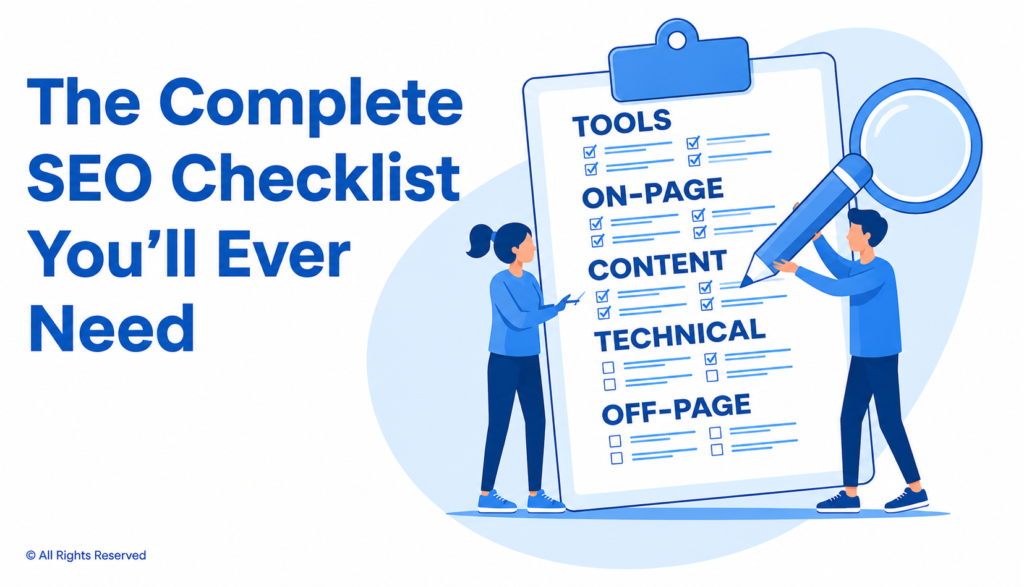
SEO can be overwhelming. Are you unsure where to start? A checklist can simplify the process, keeping you organized and focused. This guide breaks it down: pick effective keywords, fix site errors, enhance pages, craft better content, and build strong links. It’s straightforward. Even if you’re new, these steps are easy to follow and actionable. What Is an SEO Checklist? An SEO checklist helps your website appear higher on Google and other search engines. It shows you what needs fixing to boost your ranking. A better ranking means more people will visit your site and more visitors give you more chances to share what you offer. How to Use Best SEO checklist Not sure where to begin with SEO? Start with what your site needs most. New to this? The SEO Basics Checklist is your go-to. Already up and running but aiming higher? Prioritize Keyword Research, On-Page SEO, and Link Building. Take it step by step. Progress doesn’t have to be perfect – just consistent. Revisit the checklist as you grow. SEO Basics Checklist Start with the basics to build good SEO. This section shows the main steps to help search engines understand your website. It’s all about setting it up properly from the beginning. 1. Define the Key Performance Indicators (KPIs) for Your Project Before improving your website, set clear goals. Without goals, you won’t know if your efforts are working. Here’s what to focus on: Organic Traffic: This is how many people visit your site through search engines. More organic traffic means more people can find you online. Brand Awareness: Showing up at the top of search engine results makes your brand more visible and trusted. It helps you stand out. Backlinks: Backlinks are links from other trusted websites to your site. The more quality backlinks you have, the stronger your site becomes. Keyword Rankings: Check how your keywords rank on search engines. If they’re moving up, you’re getting closer to the top spots where people are most likely to click. 2. Set Up Google Search Console Google Search Console helps you see how your website shows up on Google. It tells you how many people find your site, how many click on it, and which pages Google has saved. You can also check how Google views your site. It’s an easy way to see what’s working, what’s not, and how to make your site better. 3. Install Bing Webmaster Tools Google is the biggest search engine, but Bing still has over 100 million users. If you want more traffic from different sources, try Bing Webmaster Tools. It’s a smart way to improve your website. Plus, it can show you problems or opportunities you might not see on your own. 4. Set Up Google Analytics Google Analytics is a tool that will help you know what people do on your website. It gives details of visitors like which search engines, social media, or direct links they have come from and what they click on when they are there. You can monitor how much time they spend, which pages they visit, and what they do in the pages, such as submitting forms or purchasing. This data indicates the pages that are performing and the pages that need to be fixed. It also helps you to be familiar with your audience and you will be able to improve your website and achieve better results. 5. Install and Configure an SEO Plugin (for WordPress Sites) If your website runs on WordPress, plugins like Yoast SEO or Rank Math can help boost your site’s search engine ranking. These tools make hard SEO tasks easier. They can help you create sitemaps, fix meta tags, and use keywords better. They even give you instant feedback on your content to make it clearer for readers and search engines. Features like readability checks, keyword tips, and schema support are built right in. 6. Create an XML Sitemap An XML sitemap is a file that lists all the pages on your website. It helps search engines find your pages and show them in search results. If you use WordPress, it’s even easier because WordPress can create sitemaps automatically. After you have your sitemap, upload it to Google Search Console. This helps search engines discover your pages faster and add them to their index. 7. Set Up Rank Tracking Tools like SEMrush and Ahrefs help you see how your website is doing and make it better. They show you which keywords are working and which ones need fixing. You can also check out your competitors, find good keywords to use, track backlinks, and run site audits to spot problems. Are your best keywords bringing in enough visitors? Which ones need more work? These tools help you plan smarter, stay ahead of the competition, and keep your website growing strong. 8. Create a Robots.txt File A robots.txt file is a small text file that tells search engines which parts of your website they can see and which parts to ignore. It helps search engines focus on the important pages instead of wasting time on unimportant or repeated content. This can improve your website’s ranking in search results. It also keeps private sections of your site hidden while making key pages easier to find. 9. Ensure Google Can Index Your Website Checked Google Search Console recently? Ensuring your site is indexed correctly is essential. A “noindex” tag means pages won’t appear in search results. Carefully review your settings – small errors can have a big impact on your site’s visibility. 10. Get a Free SEMrush Account SEMrush is an all-in-one SEO tool that allows you to identify keyword opportunities, analyze competitors, and run site audits to uncover technical issues. You Can Monitor Your Competitors. SEMrush shows which keywords competitors rank for, giving you ideas for keywords you can target. It Helps You Troubleshoot and Repair Site Errors. Run audits to identify broken links, duplicate content, or missing meta tags that could harm your rankings. Backlink Analysis Tool. The backlink tools in SEMrush offer detailed insights into your link profile and help you discover link-building opportunities. Keyword Research Checklist Keyword research is an important part

Mobile SEO
Blog

The Complete Guide to Mobile SEO: 9 Tips and Best Practices

People are spending more time on their phones, and they use them differently than desktop computers. Even when phones are used like desktops, there are important differences-like how search engines work on mobile. At Visibility SEO, we know that mobile optimization is just as important as optimizing for desktop search. Mobile SEO depends on things like where the user is, the size of their screen, and the type of phone or tablet they’re using. In this guide to mobile SEO, we’ll show you how to optimize your site for mobile devices. You’ll learn tips to boost performance and connect with more users, no matter what device they’re on. Let’s get started! What is Mobile SEO? Mobile SEO helps make websites work well on phones and tablets. It makes sure the right people can find your site when searching on their devices. The main things that matter? A design that fits any screen, pages that load fast, and an easy-to-use layout. We’ll explain all of this next.. The Importance of Mobile SEO Mobile SEO matters. It helps your website rank higher, look better, and work faster on phones. More people now use their phones to browse the internet. If your site isn’t mobile-friendly, it’s harder to find and less enjoyable to use. Fixing this means more people can see, use, and trust your site. Mobile traffic is more popular than desktop In 2024, over 60% of all web traffic came from mobile devices. Mobile phones are also changing how people search online. By 2021, 63% of search engine visits were made on mobile, and this number is still growing. To get more people to visit your website, it’s important to make sure your site works well on mobile phones. This helps it show up higher in mobile search results and brings in more visitors. Google Uses Mobile-First Index Google started focusing on mobile websites back in 2015. By late 2023, it switched completely to mobile-first indexing. What does that mean? It means Google looks at the mobile version of your site first when deciding how it ranks in search results. Even if you’re browsing on a computer, the mobile site matters most. Desktop versions are still used and shown to desktop users, but your mobile site has a bigger impact on your ranking. Customers prefer to shop from mobile devices E-commerce and mobile devices are inseparable these days. A 2017 Google study highlighted some interesting trends: Searches on mobile with words like “best,” “on sale,” or “near me” shot up 250% in just two years. Crazy, right? Product reviews? Yep, searches for those jumped 35%! And here’s a big one—40% of people now prefer sticking to their phone for everything, from browsing to buying. Mobile is changing how we shop… but is it always seamless? 3 Ways to Configure Your Website for Mobile Devices You have three ways to make your site work well on mobile devices. 1. Responsive Design Responsive design means your website works on both phones and computers without needing two separate versions. The same page is shown to everyone, but the layout changes to fit the screen size. The server sends the same HTML to every device, and CSS adjusts how it looks. Why is responsive design good for SEO? It uses one URL for both mobile and desktop, so sharing and linking content is easy. It avoids common mobile errors. It’s faster and easier to manage than having separate sites. No redirects are needed, which speeds up load times. Google only needs to crawl it once, which saves resources. Google even recommends responsive design. It helps avoid duplicate content issues. For example, we helped a clothing store fix their site by combining their separate mobile and desktop versions into one responsive design. Their traffic jumped in just a few weeks because users and Google could navigate the site better. Responsive layouts also adapt to any screen size, keeping your mobile content easy to read and use. It’s a smart choice for mobile SEO. Plus, you’ll save time by only needing to create one version of each page. 2. Dynamic Serving Dynamic serving keeps the URL the same but sends different HTML to devices. Sounds clever, right? But here’s the catch: servers can mess up. Imagine a smartphone user stuck with the desktop version of your site. Frustrating, isn’t it? That’s why Google prefers responsive design. It’s simpler, less error-prone, and delivers a smoother experience for everyone. 3. Separate URLs Another option is to have separate URLs for your desktop and mobile websites. This means one URL for desktop, like https://www.yoursite.com/, and a different URL for mobile, like https://m.yoursite.com/. But Google doesn’t recommend this. Why? It’s harder to manage. When someone visits your site, the server decides which version to show based on their device. Without proper setup, this can cause problems. To avoid issues, you need special HTML tags. For mobile pages, use a rel=”canonical” tag to link to the desktop version. For desktop pages, use a rel=”alternate” tag to link to the mobile version. If you skip these tags, Google might see both versions as duplicates. This can mess up your search rankings and hurt your SEO. It’s a complicated approach that’s best avoided. How to Check if your Site is Optimized for Mobile Semrush Site Audit Semrush Site Audit tool checks your website for over 140 problems, including ones that affect mobile SEO. Once you set it up, open the “Issues” report to see a full list of errors, warnings, and notices. Need help fixing something? Click “Why and how to fix it” for step-by-step guidance. You can also click the blue links to see which pages have the problem. Many of these issues affect SEO on all devices, but you can search for “mobile” to find mobile-specific problems like AMP or viewport meta tags. After fixing things, run the audit again to make sure everything is solved. PageSpeed Insights Did you know Google ranks websites based on page experience? And yep, page speed

What Is Search Engine Visibility
Blog

What Is Search Engine Visibility: Tools, Tips, and Tactics for Growth

SEO visibility shows how well your website shows up in search engines. It tells you if people can find your site when they use search engines like Google. If your website isn’t showing up, it won’t get clicks. No clicks means no traffic. And no traffic? That means your business won’t grow online. Let’s look at what SEO visibility really means and how you can improve it. What Is Search Engine Visibility? SEO visibility is a metric. It tells you how easy it is to find your website in search engine results. When people type in a search query, search engines look through millions of pages. If your website shows up near the top, your SEO visibility is high. If it doesn’t show up at all, your visibility is low. This metric helps website owners track their seo performance and overall seo visibility score. How Is Search Visibility Calculated? Search visibility is calculated by looking at your ranking positions for tracked keywords. It takes the search volume of each keyword and where your page ranks in the search engine results pages (SERPs). Then, it combines this data into a visibility score. This score is shown as a percentage. The higher your pages rank for important target keywords, the better your search visibility score will be. What Your SEO Visibility Score Should Look Like? There isn’t one perfect number for everyone. A good SEO visibility score depends on your industry and your competition. Most websites want to stay above 30% if possible. That means they show up often and in higher ranking positions. If your score is low, it might mean your SEO efforts aren’t working. Or maybe you’re targeting the wrong keywords. You need to track your visibility score over time to know what’s normal for your site. Why You Should Keep an Eye on Search Visibility? Search visibility affects your traffic. More visibility means more people find your web pages. Less visibility means fewer clicks and fewer visitors. Watching your visibility score tells you if your SEO traffic is improving or getting worse. If you see a sudden drop, it might mean a problem. Maybe an algorithm update hit your site. Or maybe you lost some high quality backlinks. Keeping an eye on it helps you fix issues fast.   Factors That Impact Your Search Visibility Many things affect your site’s search visibility. Some come from your site. Others come from outside. If your seo visibility score drops, it helps to look at all of these factors. Search intent and relevance: Search engines want to give people answers that match what they need. That’s why your content must match the user’s search query. If someone is looking for “how to fix a bike chain,” your content better teach that. If it’s off-topic, your ranking drops. Search engines understand intent more than ever, so relevance is key to increase search engine visibility. Meta tags: Meta tags, like title tags and meta descriptions, help search engines understand your pages. They also tell users what the page is about in the google search results. If your tags are missing or not clear, users might skip your link. Good meta tags improve your click through rate (CTR) and help search engine rankings. Content quality: Search engines like fresh, helpful, and original content. If your content is full of errors, duplicate content, or missing useful info, your seo visibility will suffer. Write for people, not just for keywords. But still, use relevant keywords naturally. High content quality helps you reach organic search visibility. Website architecture: A clear and simple site layout helps users and search engines move through your site. If your structure is messy, search engines may miss pages. Good website architecture also helps with internal links. That helps boost your visibility score by pointing traffic to important pages. Mobile responsiveness: More users search on mobile devices than on desktops. If your site looks bad on a phone or takes forever to load, visitors will leave. Search engines notice this. A mobile-friendly website keeps people on your site longer and helps your seo visibility score. User experience: Is your website easy to use? Are buttons easy to click? Does it load fast? These things matter. A smooth user experience makes visitors stay longer. This can boost your site’s visibility in organic search results. Google uses this data to decide your search engine rankings. Backlinks and mentions: When other websites link to you, it tells search engines your content is trusted. High quality backlinks from sites in your niche are powerful. Mentions of your brand name also help. These off page seo factors improve your domain’s seo visibility over time. 9 Ways to Increase Your Domain’s SEO Visibility Improving your SEO visibility takes work. But the right steps can grow your rankings fast. Here’s how to boost your domain’s seo visibility and show up more often in Search Terms results. 1. Target Long Tail Keywords Long tail keywords are longer and more specific search phrases. They have lower competition. That means it’s easier to rank for them. For example, instead of “shoes,” target “running shoes for flat feet.” These keywords bring in people looking for exact answers. Adding these helps improve seo visibility and brings more organic traffic. 2. Boost Pages Stuck on Page 2 of Search Results Sometimes your pages almost rank well but don’t make the first page. That’s a missed chance. Use seo tools to find these pages. Then, update the content. Add LSI keywords, improve internal links, and make sure it’s matching the search intent. That extra push might move it to page 1. 3. Build High Quality Backlinks from Relevant Sites Backlinks act like votes for your content. When other websites link to you, it shows trust. Make sure the sites linking to you are in your niche and have good seo visibility scores themselves. Avoid spammy links. Focus on link building through guest posts, partnerships, or helpful content others want to share. 4. Add LSI Keywords to Your Content LSI (Latent Semantic Indexing) keywords are words related to your main

Internal Linking for SEO
Blog

The Best 7 ultimate guide to internal linking for SEO

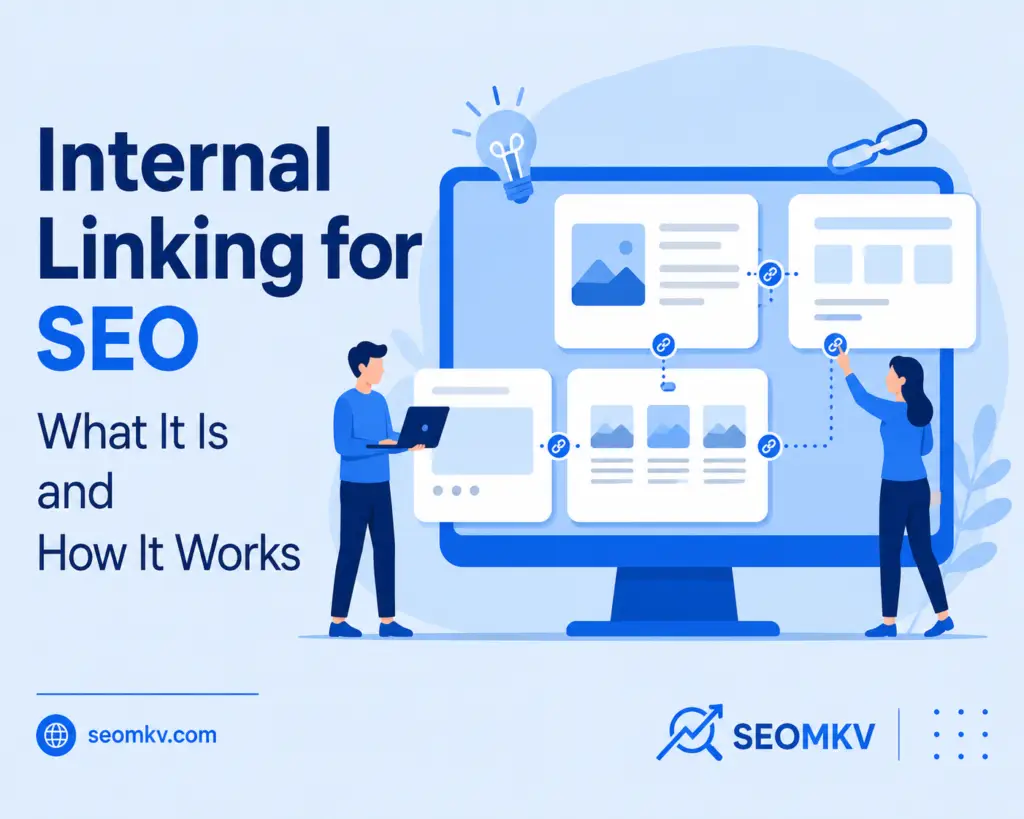
The Best 7 ultimate guide to internal linking for SEO is one of the most underutilized yet powerful SEO strategies. By linking pages within your website, you can rank higher, improve user experience and simplify site navigation. If you want search engines to fall in love with your website (who doesn’t?), internal linking deserves your attention. This post will break down everything you need to know about internal linking, from what it is to how it works, why it’s important for SEO and actionable tips to get it right. What Are Internal Linking for SEO? Internal links are hyperlinks that connect one page of a website to another page on the same domain. Think of them as paths that guide users and search engines around your site. For example, if you’re reading a blog post on “Best Hiking Gear” and it links to a related page about “Top Hiking Trails,” that’s an internal link. These links help readers find related content and give search engines a better understanding of your site’s structure. Why Is Internal Linking Important for SEO? Make Your Site Architecture Clear to Search Engines Search engines, like Google, crawl websites using bots. These bots follow links (both internal and external) to understand how your site is structured. Clear internal linking act as a roadmap, showing them the most important pages you want to highlight. By linking to high-value or priority content, you can tell search engines that these pages deserve more attention. This can impact SEO writing with rankings. Make It Easy for Users to Move Between Related Pages What happens when a visitor finishes reading your page? Ideally, they click on another page to keep exploring. A solid internal linking strategy lets you guide users to related pages seamlessly. Whether it’s blog posts, product pages or FAQs, thoughtful internal links create a natural flow of navigation. Better usability means lower bounce rates and higher session durations. Search engines notice these positive signals and can boost your overall SEO performance. Difference Between Internal and External Links Internal Links Internal links take you from one page to another on the same website. For example, from www.yoursite.com/page1 to www.yoursite.com/page2. Purpose: They help people navigate your site, connect related content and share the “juice” of your site between pages (that’s called link equity). Control: The best part? You’re in control of where these links go. You decide which pages to link and how they’ll be placed. Want users to see a specific page? Link it! If your website is like a big map, internal linking are the directions that keep everything connected. Without them, visitors might get lost or not find key pages. External Links External links take you from your website to a completely different one. For example, from www.yoursite.com/page1 to www.anotherwebsite.com/page1. Purpose: These links send people to more resources, credit other websites or show proof of what you’re talking about. Benefit: They’re great for helping users find trustworthy content and showing search engines you’re linking to good, reliable information. Both internal and external links are part of a solid SEO strategy. But internal links to other pages on your site are special. You can optimize them to directly impact how people and search engines see your website. Keep them clear, logical and purposeful and they’ll work wonders for your site. Types of Internal Links Navigational Links Navigational links are the ones you see in menus or headers at the top of a website. Think of them as a map for your site. They guide users to important sections like “About Us” or “Products.” Without them, visitors might get lost. Want your website to feel organized and easy to use? You need these links. Contextual Links Contextual links are found in the middle of written content, like a blog post or article. They point readers to related pages or topics. For example, you might see a link that says, “Read more about this here.” These links are great because they keep readers on your site longer and make it easier for them to find useful info. Plus, they’re great for SEO. Image Links Ever clicked on a picture and landed on another page? That’s an image link! These are clickable images that often lead to sales pages, articles, or other sections of a site. They work best when paired with alt text that describes the image. Why? Because it helps people with screen readers and improves accessibility. A good image link is both clear and clickable. Footer Links Footer links live at the very bottom of a webpage. They usually include things like “Terms and Conditions,” “Privacy Policy,” or “Contact Us.” While they aren’t the main focus of your site, they’re still important. These links make your site feel complete and help users find extra details. Footer links live at the very bottom of a webpage. They usually include things like “Terms and Conditions,” “Privacy Policy,” or “Contact Us.” While they aren’t the main focus of your site, they’re still important. These links make your site feel complete and help users find extra details. Footer links may not boost SEO much, but they’re super handy for navigation. Sidebar Links Sidebar links show up on the sides of your website. They often highlight related blog posts, popular articles or categories. These links are great for keeping visitors around longer. Imagine reading a post about hiking tips and seeing a sidebar link to the “Best Hiking Gear” article. Sidebar links make exploring your site easy. Breadcrumb Links Breadcrumb links show a trail of where you’ve been on a site. For example, you might see something like: Home > Blog > Article. These links are super helpful especially on big sites. They let users easily go back to sections they’ve already visited. Lost on a site? Breadcrumbs are like a trail of crumbs leading you back. Call-to-Action (CTA) Links CTA links tell visitors to do something. You’ve seen them: “Sign Up Now,” “Learn More,” or “Buy Today.” These links are all about getting people to take action. They’re essential

301 Redirects
Blog

What Are 301 Redirects and How They Affect SEO

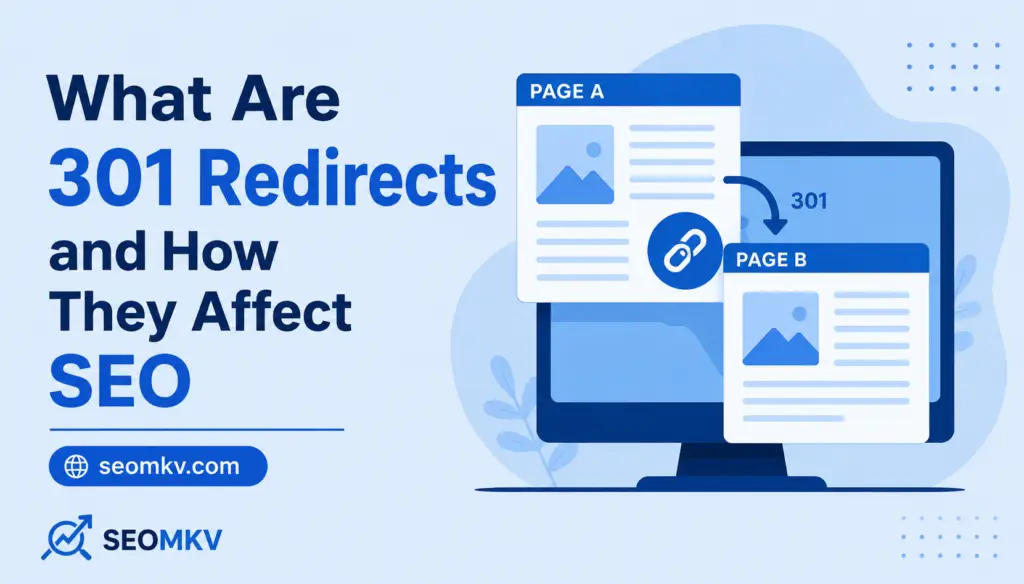
Content changes are a normal part of every website. Owners and authors constantly modify their content and change the information. Sometimes, 301 Redirects these changes may cause issues with our SEO efforts and bring down search engine rankings. To prevent this, we must focus on several key methods. Although there are more ideas on how to solve this problem, one sure way to get things done is by using the 301 redirect method. This excellent tool will keep the existing traffic on the page and ensure proper SEO parameters. You might be migrating to a new domain, changing an entire blog, and refreshing it with new information, or deleting duplicate pages. Whatever it is you’re doing, a 301 redirect will ensure search engines continue to recognize the change and allow it. In this article, we talk about the 301 redirect status code. We will explain what it is, what other statuses there are, how to use it properly, and what issues must be tackled to get all the wheels working perfectly. Follow up and learn more about it. What Is a 301 Redirect? 301 redirect is a status code based on the HTTP criteria that informs browsers and search engines that the web page has permanently been moved to a new location. The “301” is important because it defines the kind of redirect as permanent and different from the temporary redirects like 302 or 307. Hence, the Backlink Equity is transferred to the new URL in case of a 301 redirect from the old URL. Visitors or bots can be directed to the new URL without losing their SEO value. Types of Redirects There are multiple types of URL redirects that have specific purposes with potential impact on SEO.  Knowing when or how to use a permanent redirect, a temporary redirect, and a meta refresh redirect will help you avoid redirect loops, losing traffic, and broken links across multiple pages. 301, “permanent redirect”: A 301 status code signifies a permanent redirect, and is the most recommended choice for SEO. When properly implemented, it passes almost all of the SEO value from the previous URL to the new page. As a result, search rankings, internal links, and backlinks will function as intended, especially if you’re adjusting your url path, changing your domain name, or condensing previous pages. 302 redirect, “found”: A 302 redirect indicates a temporary redirect. While it directs site visitors and crawlers to a new location, search engines may choose not to pass link equity to the redirected URL and instead continue to index the original URL. The 302 redirect is best used for temporary holding pages or A/B testing, and should not be considered for a permanent change. 307 “temporary redirect”: A 307 redirect is an HTTP/1.1 standard for temporary redirect, like a 302, but it guarantees the method and body of the original request are preserved. Again, the additional technical accuracy is better, but it’s still not a proper method of passing SEO value. Don’t use 307 redirects when moving content permanently. Meta refresh: Meta refresh redirects occur at the web page level rather than through server configuration files. Typically used in HTML, they involve a delay before redirecting. Although simple, they are not SEO friendly writing. Search engines may ignore them or pass limited SEO value, so it’s better to use htaccess file or PHP header redirect for better results. Why Is HTTP Status Code 301 Redirect Important for SEO? 301 redirects are crucial when URLs change, so you can keep your rankings. They are good for resolving broken links, consolidating duplicate pages, and helping others find your new page because the redirected pages will still show in the search engine results pages (SERP). 301 redirects also help your technical SEO. They tell bots and visitors to your site which is the preferred page, so the authority of a blog post/landing page will still show in future page rankings. 301 redirects also help create a more fluid user experience by avoiding error pages and navigation dead ends, which improves the user experience. In addition, 301 redirects facilitate backlink management since link equity transfers to new linking pages. All of which allows you to maintain your domain’s reputation and link friend visibility. If done correctly, 301 redirects can restore lost traffic and mitigate the loss of SEO value associated with long-term investments during redesigns or modifications to content. Ways to Implement a 301 Redirect There are many ways to implement redirects that are related to your web server environment, CMS, or development platform. A good redirect strategy will ensure that search engines will crawl and index your pages properly while passing the authority of your old pages to your new URL. For example, in case you opt to use the Apache-type web server, you have to incorporate 301 redirect in the .htaccess file. For Nginx, you will create the 301 redirect within the server configuration file. Then, if it happens that you are using any of one of the CMS platforms, for instance WordPress, you could use a plugin to manage redirects and make things a little simpler. Regardless of how you create the 301 redirects, there is still a good general practice of validating each one just to ensure that things are functioning properly and are helping with user experience and/or SEO. 301 redirects in .htaccess file On Apache servers, the .htaccess file is utilized to declare a set of redirect rules. This is a fast and server side method, and will send the appropriate http status code, so web browsers and bots are not confused. This is a robust method to create url redirects at a structural level. An example would be if an entire domain or a collection of several pages needed to be moved. 1. To redirect an entire domain to a new domain site To redirect an entire domain to a new domain, add a rule to the htaccess file like: Redirect 301 / http://www.newdomain.com/. This tells search engines and site visitors that all requests from the old domain

Scroll to Top