If you’ve ever searched on Google and wondered how it chooses what to show, here’s a hint: the answer is in the code. SEO meta tags are short notes in a website’s background. You won’t see them on the screen, but they tell search engines what the page is about. Because of these tiny instructions, it’s possible for your website to show up for the right people. Using meta tags in the right way can really help your site get noticed.
What Are SEO Meta Tags?
You can think of meta tags as mini labels in the HTML code of your website. They’re for both search engines and readers. These tags don’t show up on the main part of your site, but they are super important for getting good spots in search results. They help platforms like Google group your web pages with similar content. For example, a smart meta description can catch someone’s eye and make them choose your link instead of a competitor’s.

To view the Meta tag of any page, press Ctrl+U.
Meta Tags Supported by Google
Google pays close attention to some, but not all, meta tags. Knowing which ones matter can save you a lot of time and guesswork. The title tag, meta description, and meta robots tag are all important for ranking and crawling. Others, like the viewport meta tag, affect the way your site looks on mobile phones. When you know which tags are important, you can focus on the things that will help more people find your site.
10 Most Important Meta Tags for SEO
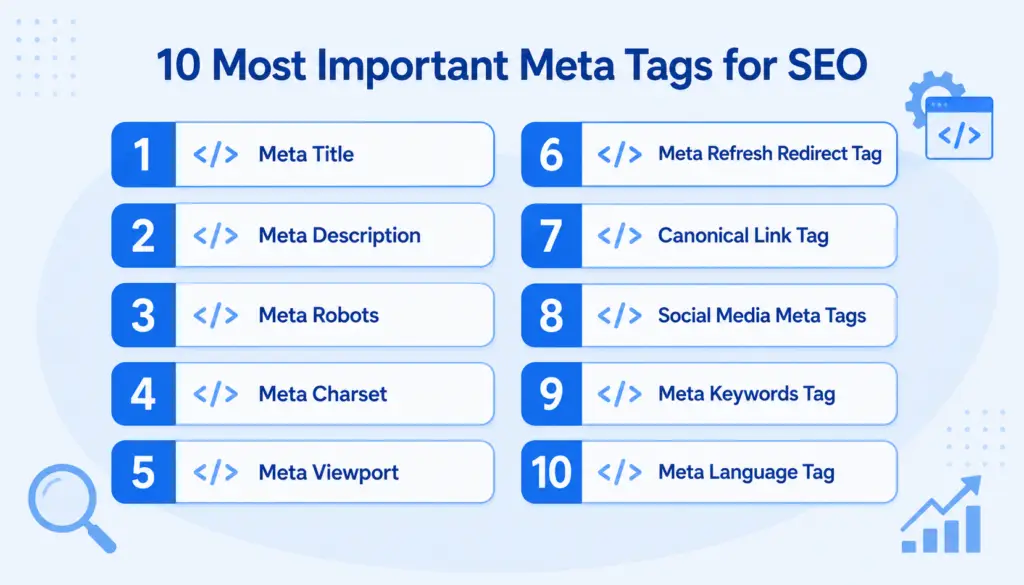
There are many meta tags for SEO, but a handful are always at the top of the list. These tags provide key information to search engines and help your website perform better. Setting them up right makes your content more visible. While the meta keywords tag used to be a big deal, now other tags have taken center stage. Let’s take a closer look at which ones really matter and why.
1. Meta Title

The meta title is the main headline that shows up in search results. That’s also usually the text you see in your browser’s tab. If people like that headline, they’ll click. With one look, they know what your page is about. It’s important to use a clear, short title and put your top keyword as close to the front as possible. Don’t forget, this is often a new visitor’s first impression, so write it like something you’d want to click.
Meta Title Syntax
Adding a title tag to your HTML document is simple. Go to the <head> section and write <title>Your Page Title Here</title>. Whatever you put inside those tags is what people and search engines will see as the main headline. It’s also what shows on the browser tab. Always double-check it’s in the right place, and each page has its own unique title. It makes a real difference.
The Importance of Meta Title for SEO
Why focus on the title tag? Search engines use it as a strong clue about the content of your page. If you want your site to stand out in search results, this tag is one of your best tools. It grabs attention and can raise the number of people who click on your site. When your title matches what someone wants, they’ll probably pick your web page. That’s a good sign to search engines too.
Optimizing HTML Meta Title for SEO
To get the best results, keep a balance. Use your keywords, but don’t force them. Write the title in a way that’s friendly to both people and search engines. It should describe your page and invite users to learn more. For example, “How to Grow Tomatoes at Home | Easy Guide” works better than a list of words. Aim for something real, like advice you’d give a friend.
Finding and Fixing Common Meta Title Mistakes
Here’s what can go wrong with meta titles, and quick ways to fix issues:
- Too long/short: If your title is too long, it gets cut off in search results. Too short, and it won’t tell people much. Check that your title sits comfortably between 50 and 60 characters; enough for a full message, but not too much.
- Doesn’t exist: Missing a title is a big mistake. Without one, search engines just guess what to call your page. Be sure every page you publish has its own descriptive title.
- Multiple title tags on one page: Don’t add more than one <title> tag. If you do, search engines won’t know which to choose. Always keep your HTML code clean and organized.
- Duplicate titles across multiple pages: Each page on your site is different. Always use a separate, accurate title to help both users and Google tell your pages apart.
Best Practice
- Use 50–60 characters: This is a sweet spot. It keeps your headline visible on most devices and lets people see the full title in search results, not just a cut-off version.
- Incorporate keywords in a way that feels organic: Place the main topic or keyword near the beginning, but don’t overdo it. If it sounds natural, readers will be more likely to trust your page.
- Align content with user intent: Promise only what your page delivers. If the title and content don’t match, most visitors leave fast.
- Use unique titles for each page: Stand out! Don’t repeat the exact headline on multiple pages, or you’ll confuse both people and search engines.
- Provide an accurate preview: Think of your title as an invitation, a sneak peek at what’s ahead. It should give users a reason to visit your web page.
2. Meta Description

The meta description tag is a sentence or two shown under the title in search results. While it won’t change your ranking by itself, it can convince someone to click your link. It’s your quick pitch for that page. A good meta description tells people what they’ll get if they visit. Keep it simple and interesting to make users want to click on your web page.
Meta Description Syntax
To add a meta description in your HTML, use: <meta name=”description” content=”Short summary of what your page offers.”>. Put this tag in the <head> part of your HTML. Search engines often display this description below the title in search results. Focus on writing something helpful and clear—because this small sentence can make a big difference in who visits your site.
The Importance of Meta Description for SEO
A great meta description gets people to visit your page. If your description matches what someone is searching for, they’ll be more likely to click your link. A higher click rate is a good thing. Plus, search engines notice when users choose your pages over others. A favorite phrase to remember: your meta description summarizes what’s inside, so make it count.
Optimizing HTML Meta Description for SEO
Try these ideas to make your meta descriptions stronger:
- Keep it concise: Stay around 150 to 160 characters. Too long, and search engines might cut your message short. Too short, and it may not say enough for users to click.
- Include your target keyword: Put your main topic or keyword somewhere in the description. This shows users (and Google) that your page is a good match.
- Add a CTA: CTAs (like “Discover More” or “Start Your Free Trial”) encourage users to visit. An invitation works better than just a statement.
- Creating distinct descriptions for every page: Make each page’s meta description different. Don’t reuse content, or you risk duplicate meta descriptions; each page is unique!
Finding and Fixing Common Meta Description Mistakes
Mistakes with meta descriptions? Check these simple fixes:
- Too long/short: Search engines trim long descriptions or ignore those that are too short. Count your letters to keep them within the range.
- Doesn’t exist: If you leave it blank, Google picks its own lines from your page. That rarely looks good. Write one you control.
- Multiple meta descriptions on one page: Only use one meta description tag per page, or you’ll confuse search engines.
- Duplicate meta descriptions across multiple pages: Each web page should get its own summary. Don’t copy-paste. Make every page special.
Best practices
- Create a distinct description for every page: Every page deserves its own story. Write unique summaries for all your important pages.
- Try to summarize content accurately: Be honest about what readers will find. Don’t hype something that isn’t there.
- Avoid generic descriptions: Say more than just “This is a website.” Point out what’s cool or useful about your page.
- Use sentence case: Start with a capital and use normal punctuation. It’s easy to read and feels natural.
- Match search intent: Ask yourself: What would someone be hoping to find here? Aim your meta description to match that expectation.
- Place keywords naturally within the content: Use the page’s top keywords in a way that fits the sentence naturally.
3. Meta Robots

With the robots meta tag, you’re in charge of what the search bots do. This meta tag lets you block a page from showing up in search results or stop search engines from following links on your page. It’s handy for private or temporary pages. Managing this well means search results show the right pages, not unfinished or duplicate material.
Meta Robots Syntax
Adding the meta robots tag in your HTML looks like: <meta name=”robots” content=”index, follow”>. Inside the content quotes, you can tell Google what to do.
The Importance of Meta Robots for SEO
If you have pages that users shouldn’t find, use the robots meta tag. For example, for an expired product or a draft post, adding noindex keeps it out of Google. The meta refresh tag does something else, so don’t mix them up. Controlling what gets seen helps prevent problems like showing the same content in multiple places or leaking private info.
Some common robots meta tag values:
- Index: Lets search engines show your page in search results as usual.
- Noindex: Hides your page from appearing in search results.
- Follow: Tells search engines to check out your links and pass value along.
- Nofollow: Stops search engines from counting or passing value through links on your page.
Finding and Fixing Common Meta Robots Mistakes
Look for these errors:
- Noindexed pages blocked by robots.txt: If you block a page in robots.txt, Google may not see your noindex tag. They need to reach the page to follow the tag.
- Rogue meta noindex: Watch for noindex tags left on pages by mistake. After relaunches, always review your settings.
- Rogue meta nofollow: Unintentionally nofollowing can keep important links from being valued. Double-check after making changes.
4. Meta Charset

Web browsers use the charset tag to know which symbols, letters, and numbers to show. It’s sort of a translator for your web page—without it, your site could look like a mess. Add the right meta charset tag so each visitor, no matter their location, sees your content the way you meant it.
Charset Meta Tag Syntax
For today’s sites, use: <meta charset=”UTF-8″>. Add this as early as you can inside the <head> part of your code. It makes sure your letters, signs, and symbols work everywhere.
The Importance of Meta Charset for SEO
Google checks to see if your web pages are easy to read. If users see strange text and leave, that bumps up your bounce rate, and search engines pay attention to bounces. A correct charset means everyone can read your words without glitchy symbols.
Finding and Fixing Common Charset Meta Tags Mistakes
Some sites forget to include a meta charset, or use an outdated one. To check, go to your page source and look for <meta charset=”UTF-8″>. If it’s missing or different, fix it, then reload your page to see the changes.
5. Meta Viewport

Do you visit websites on your phone? If so, you’ve seen why the viewport meta tag matters. It tells browsers how to scale the page so everything fits the device, big or small. Without it, you’d have to zoom and scroll sideways, which is frustrating. Adding this tag makes your website look good on all devices.
Viewport Meta Tag Syntax
Use this line inside <head>: <meta name=”viewport” content=”width=device-width, initial-scale=1.0″>. “Width=device-width” means the page’s size matches the device. “Initial-scale=1.0” sets the zoom level for a good first look.
The Importance of Meta Viewport for SEO
Mobile searches now outnumber desktop ones. Google and other search engines check if your pages adjust to phones and tablets. No meta viewport tag? Your page might rank lower for mobile users. Get more visitors by making your site look great everywhere.
Finding and Fixing Common Viewport Meta Tags Mistakes
The biggest mistake is missing the tag. Another is setting a fixed width, which is bad for phones. Look in your code for your viewport tag and adjust as needed.
6. Meta Refresh Redirect Tag

A meta refresh tag can move people from one page to another after a set time. You’ve probably seen, “You’ll be redirected in 5 seconds…” appear on a screen. Still, it’s not the preferred way for permanent moves, since real redirects are best for SEO. This tag is easy to set up for quick fixes or short-term changes.
Meta Refresh Tag Syntax
Here’s the standard: <meta http-equiv=”refresh” content=”5; url=https://yoursite.com/newpage“>. Five seconds after loading, the browser jumps to the new URL. Place it in the old page’s <head> section.
The Importance of Meta Refresh for SEO
From a ranking view, meta refresh is not as good as a server redirect because not all value is passed along. But if you’re in a hurry or can’t use server tools, it works for small jobs. Don’t use it for big site moves!
Finding and Fixing Common Refresh Meta Tags Mistakes
Making all site redirects with meta refresh is a common error. Always switch over to a real server 301 redirect when possible, especially for big sites. Don’t set the delay to zero because it can annoy users!
7. Canonical Link Tag

If you have two or more pages with almost the same content, use the canonical link tag. It tells search engines which version is most important or “official.” That way, you keep all your SEO strength in one place and avoid confusing search engines with repeats.
Canonical Link Tag Syntax
Just insert <link rel=”canonical” href=”https://yourbesturl.com/page“> in the <head> of extra pages. Make sure the URL is the one you want Google to show in search results.
8. Social Media Meta Tags

When someone shares your site on social networks, you want it to look perfect. Social media meta tags help control the title, description, and thumbnail images on sites like Facebook and Twitter. With these tags, your articles get more clicks and look professional.
Social Media Meta Tags Syntax
For Facebook, use <meta property=”og:title” content=”Your Title” />. Twitter uses <meta name=”twitter:card” content=”summary” />. Put these in your HTML <head>. Double check how your page appears by sharing on your social platforms.
9. Meta Keywords Tag

People once added a meta keywords tag to list words for search engines. It was easy to fake, so Google doesn’t look at it anymore. Today, it doesn’t help at all. Most sites leave it out completely. Focus your time on tags that matter.
Keywords Meta Tag Syntax
If you’re curious, this was the old format: <meta name=”keywords” content=”keyword, another, word, more”>.
10. Meta Language Tag

Years ago, the meta language tag told browsers what language was used on a site. Now, it’s better to use the lang attribute in the first line of your HTML code. That makes it easier for everyone (and every browser) to understand your web page.
Language Meta Tag Syntax
Don’t add <meta http-equiv=”content-language” content=”en-US”> anymore. Instead, start your site’s HTML with <html lang=”en”> for English. That’s the best way now.
Why Are Meta Tags Important?
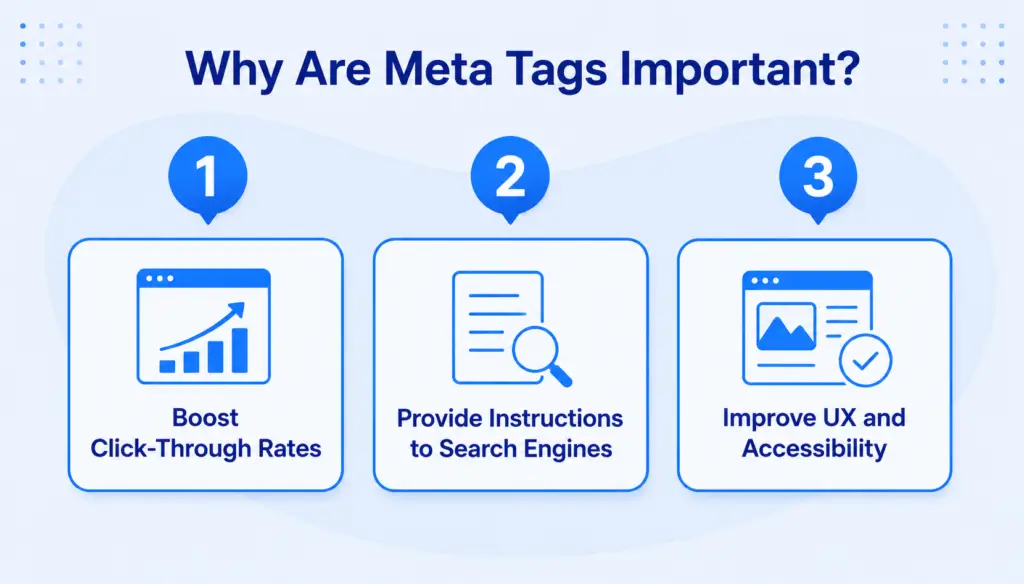
Meta tags are small details that make a big impact. They give search engines clues about your content, help users decide what to click, and make pages easier to use. From the meta title to the meta description tag, each one puts your site in a better spot for readers and search bots to understand what you offer.
- Boost Click-Through Rates: Good meta tags draw the eyes and help your page stand out in search results. The right words make people want to visit your site instead of the next listing.
- Provide Instructions to Search Engines: With tags like meta robots, you get to say what gets shown or hidden. That helps organize your site and avoid problems with Google.
- Improve UX and Accessibility: With a viewport meta tag and clear tags for language, your site feels right to everyone, whether on a phone, or using accessibility tools.
Optimize Your Meta Tags for SEO for Your Web Page
Don’t just set meta tags and forget them. Use the page’s source code or an SEO writing tool to look for mistakes, like missing tags or repeated descriptions. Give every important web page its own meta title and meta description that matches what’s on it. Check the viewport meta tag and robots settings to make sure you’re reaching everyone you want to reach. A little effort on these details can help your whole website show up and perform better.
FAQs
Do I need to put meta tags on every page?
Nearly every real page should have its own unique meta tags. That means a title tag and a separate meta description. Special pages, like order confirmations, often use a meta robots tag to keep them out of search results. Don’t skip meta tags, even for the small stuff.
How to check if meta tags are working?
View your source code by right-clicking and selecting “View Page Source.” In the <head> section, find your meta tags and check they’re present. You can also use an SEO tool online-it’ll warn you about missing or broken tags and note any problems so you can correct them.
How long does it take for meta tags to take effect?
After changing meta tags, it takes time for Google and other search engines to notice the updates. Sometimes it’s a few days, sometimes it’s weeks. Want it faster? Try asking Google to re-crawl your site in Search Console.
Should page title and SEO title be the same?
Sometimes they match, but not always. The SEO title (<title>) is for search result listings. The heading on your page is for people visiting the page itself. Make sure both are accurate, but adjust to fit each place. Two unique, helpful titles are better than one copied headline.