SEO can be overwhelming. Are you unsure where to start? A checklist can simplify the process, keeping you organized and focused. This guide breaks it down: pick effective keywords, fix site errors, enhance pages, craft better content, and build strong links. It’s straightforward. Even if you’re new, these steps are easy to follow and actionable.
What Is an SEO Checklist?
An SEO checklist helps your website appear higher on Google and other search engines. It shows you what needs fixing to boost your ranking. A better ranking means more people will visit your site and more visitors give you more chances to share what you offer.
How to Use Best SEO checklist
Not sure where to begin with SEO? Start with what your site needs most. New to this? The SEO Basics Checklist is your go-to.
Already up and running but aiming higher? Prioritize Keyword Research, On-Page SEO, and Link Building. Take it step by step. Progress doesn’t have to be perfect – just consistent. Revisit the checklist as you grow.
SEO Basics Checklist
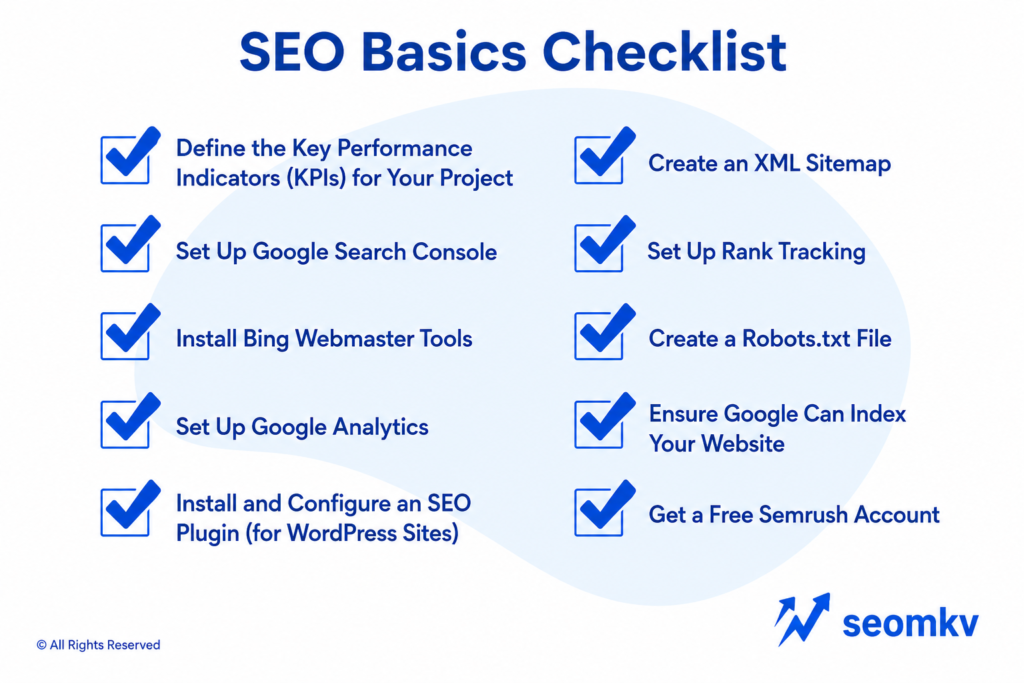
Start with the basics to build good SEO. This section shows the main steps to help search engines understand your website. It’s all about setting it up properly from the beginning.
1. Define the Key Performance Indicators (KPIs) for Your Project

Before improving your website, set clear goals. Without goals, you won’t know if your efforts are working. Here’s what to focus on:
- Organic Traffic: This is how many people visit your site through search engines. More organic traffic means more people can find you online.
- Brand Awareness: Showing up at the top of search engine results makes your brand more visible and trusted. It helps you stand out.
- Backlinks: Backlinks are links from other trusted websites to your site. The more quality backlinks you have, the stronger your site becomes.
- Keyword Rankings: Check how your keywords rank on search engines. If they’re moving up, you’re getting closer to the top spots where people are most likely to click.
2. Set Up Google Search Console
Google Search Console helps you see how your website shows up on Google. It tells you how many people find your site, how many click on it, and which pages Google has saved. You can also check how Google views your site. It’s an easy way to see what’s working, what’s not, and how to make your site better.
3. Install Bing Webmaster Tools

Google is the biggest search engine, but Bing still has over 100 million users. If you want more traffic from different sources, try Bing Webmaster Tools. It’s a smart way to improve your website. Plus, it can show you problems or opportunities you might not see on your own.
4. Set Up Google Analytics
Google Analytics is a tool that will help you know what people do on your website. It gives details of visitors like which search engines, social media, or direct links they have come from and what they click on when they are there.
You can monitor how much time they spend, which pages they visit, and what they do in the pages, such as submitting forms or purchasing.
This data indicates the pages that are performing and the pages that need to be fixed. It also helps you to be familiar with your audience and you will be able to improve your website and achieve better results.
5. Install and Configure an SEO Plugin (for WordPress Sites)

If your website runs on WordPress, plugins like Yoast SEO or Rank Math can help boost your site’s search engine ranking.
These tools make hard SEO tasks easier. They can help you create sitemaps, fix meta tags, and use keywords better. They even give you instant feedback on your content to make it clearer for readers and search engines.
Features like readability checks, keyword tips, and schema support are built right in.
6. Create an XML Sitemap
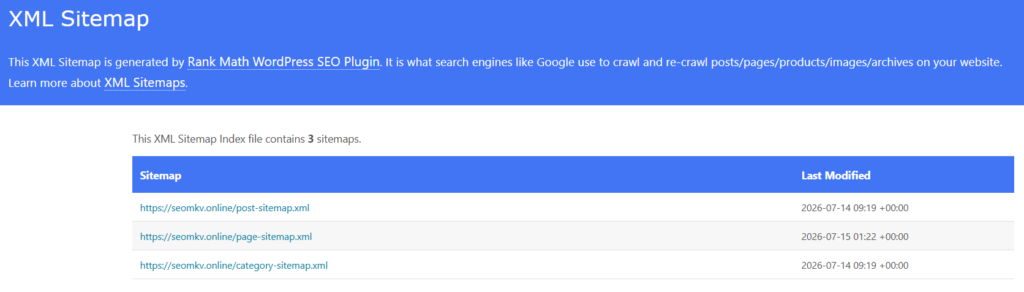
An XML sitemap is a file that lists all the pages on your website. It helps search engines find your pages and show them in search results.
If you use WordPress, it’s even easier because WordPress can create sitemaps automatically. After you have your sitemap, upload it to Google Search Console. This helps search engines discover your pages faster and add them to their index.
7. Set Up Rank Tracking
Tools like SEMrush and Ahrefs help you see how your website is doing and make it better. They show you which keywords are working and which ones need fixing.
You can also check out your competitors, find good keywords to use, track backlinks, and run site audits to spot problems. Are your best keywords bringing in enough visitors? Which ones need more work? These tools help you plan smarter, stay ahead of the competition, and keep your website growing strong.
8. Create a Robots.txt File
A robots.txt file is a small text file that tells search engines which parts of your website they can see and which parts to ignore. It helps search engines focus on the important pages instead of wasting time on unimportant or repeated content.
This can improve your website’s ranking in search results. It also keeps private sections of your site hidden while making key pages easier to find.
9. Ensure Google Can Index Your Website
Checked Google Search Console recently? Ensuring your site is indexed correctly is essential. A “noindex” tag means pages won’t appear in search results. Carefully review your settings – small errors can have a big impact on your site’s visibility.
10. Get a Free SEMrush Account

SEMrush is an all-in-one SEO tool that allows you to identify keyword opportunities, analyze competitors, and run site audits to uncover technical issues.
-
- You Can Monitor Your Competitors. SEMrush shows which keywords competitors rank for, giving you ideas for keywords you can target.
- It Helps You Troubleshoot and Repair Site Errors. Run audits to identify broken links, duplicate content, or missing meta tags that could harm your rankings.
- Backlink Analysis Tool. The backlink tools in SEMrush offer detailed insights into your link profile and help you discover link-building opportunities.
Keyword Research Checklist
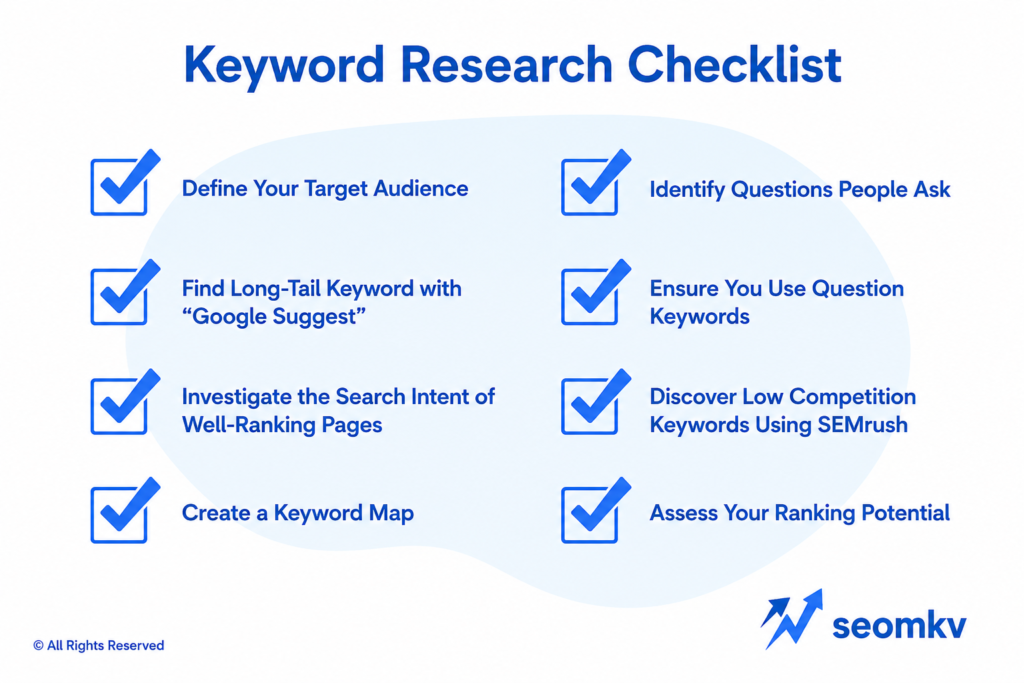
Keyword research is an important part of a good SEO plan. This checklist will help you find the best keywords and make your content better.
1. Define Your Target Audience
SEO works best when you know your audience. To reach them, you need to understand what they like and what problems they need solving.
- Who are your customers? Think about their age, job, or group they belong to. Knowing this helps you focus your SEO better.
- What problems do they have? Figure out what issues they face that your product or service can fix.
- Where do they hang out online? Check out forums, social media, or websites they visit. This gives you ideas about what they care about.
- What are they searching for? Look at the words they type into search engines. Use those keywords to make your content more relevant.
2. Find Long-Tail Keywords with “Google Suggest”

Long-tail keywords are longer and more specific keywords that people enter in the search engine. They are less competitive and help you to connect to a smaller, more specific group of people. For instance, while one may be searching for shoes, another may search for “comfortable running shoes for women”.
Finding long-tail keywords isn’t hard. Start by typing a general word into Google and look at the autocomplete suggestions. Those are common searches other people make. You can also use tools like Google Keyword Planner, Answer The Public, or SEMrush to find more ideas.
3. Investigate the Search Intent of Well-Ranking Pages

Understanding why a page ranks helps you create more relevant content.
- Navigational: Searchers are looking for a specific brand or website.
- Informational: They want to learn more about a topic.
- Transactional: They’re ready to make a purchase.
- Commercial: They’re researching options before deciding to buy.
4. Create a Keyword Map
Match the right keywords to the right pages on your site. This helps keep your site organized and makes sure pages don’t compete with each other for the same keyword.
5. Identify Questions People Ask

Search for FAQs in your niche using tools like AnswerThePublic. Add questions to your content, FAQs, or product pages to align with user intent.
- FAQ Pages. Create dedicated pages answering common questions to gain visibility in rich snippet results.
- Blog Posts. Turn question-based keywords into engaging articles.
- Product Pages. Answer specific queries to guide purchasing decisions.
- Customer Support Section. Provide answers to operational or logistical inquiries.
6. Ensure You Use Question Keywords

Google frequently highlights question-based keywords in featured snippets. Are you using them in your headings or content? If not, you might be missing out. Including these keywords strategically can boost your chances of being featured.
7. Discover Low-Competition Keywords Using SEMrush
Look for keywords that are easy to rank for but still attract good traffic. These are called low-competition keywords. Fewer websites are trying to rank for them, so you have a better shot at getting to the top of search results. They can still bring plenty of visitors to your site. Focus on these keywords if you want faster results and to grow your traffic quickly.
Use tools like Google Keyword Planner or Ahrefs to find these keywords. Once you have them, create content that’s helpful and interesting. Make it something people actually want to read. This will improve your rankings and bring more visitors to your site.
8. Assess Your Ranking Potential

Check your website to see how good your content is and which keywords you can use to improve. Set simple goals that make sense for your site’s strength and how tough the competition is.
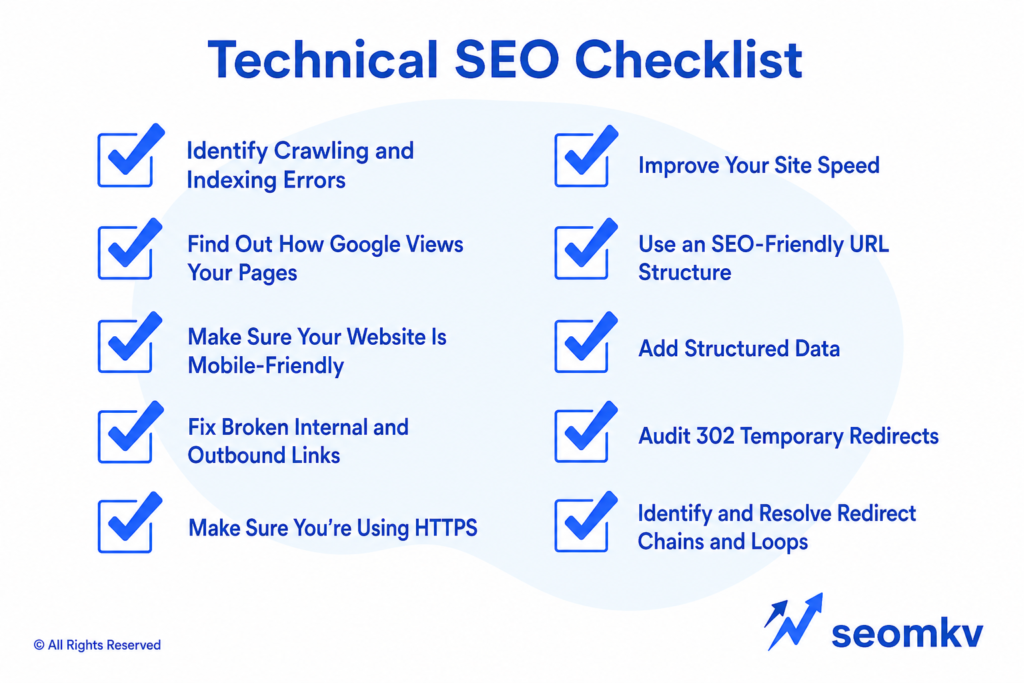
Technical SEO Checklist
Technical SEO helps search engines understand your site and rank it more effectively. Fixing major technical issues improves how your site performs and boosts its visibility in search results.
1. Identify Crawling and Indexing Errors
Search engines like Google work by crawling and indexing websites. This process helps pages show up in search results. But if something goes wrong, even the best content can stay hidden. That’s a big problem.
Tools like Google Search Console and SEMrush’s Site Audit can help fix this. They spot issues that might stop your site from showing up, like broken links, server errors, or pages blocked by a robots.txt file. Ever seen a “404 Not Found” message when clicking a link? Or noticed two pages with the exact same title? These tools catch those mistakes before they hurt your rankings.
2. Find Out How Google Views Your Pages
It is important to know how Google views your website if you want it to work better. The “URL Inspection” feature on Google Search will allow you to understand the way Google reads and loads your pages. It exhibits such issues as missing data, slow loading, or the issue of mobile use that can damage your positions.
If you keep checking your pages regularly, you can ensure that every little thing such as images, the scripts, and styles are operating as they should. Solving these issues promptly boosts the rank of your site in the list of search results.
It also improves your website, making it easier to use and prevents people from leaving sooner and driving your bounce rates down.
3. Make Sure Your Website Is Mobile-Friendly

Search engines rank mobile friendly websites higher. Make sure your site works well on phones and tablets by following these tips:
- Use Responsive Design. Your site should adjust to any screen size automatically.
- Keep Sentences and Paragraphs Short. This makes it easier to read on small screens.
- Skip Annoying Popups. They interrupt users and can drive them away.
4. Fix Broken Internal and Outbound Links

Broken links can be a real problem. They make it hard for people to use your site and confuse search engines too. Do you check for them regularly? If not, you should. Fixing broken links is important to keep things running smoothly.
Tools like Google Search Console or online link checkers make it easy to find them. When you fix broken links, your site works better for visitors and ranks higher on search engines.
5. Make Sure You’re Using HTTPS
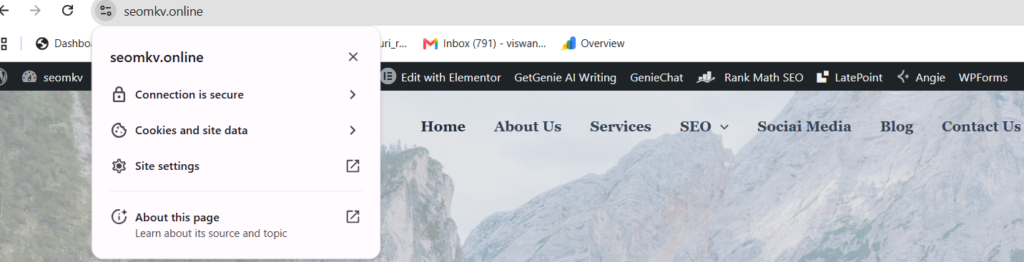
HTTPS is important for keeping your website safe and secure. It helps protect visitors’ data and is also a key factor in search rankings. Still using HTTP? It’s time to switch to HTTPS by adding an SSL certificate. This change keeps user information safe and shows people they can trust your site.
6. Improve Your Site Speed

Is your website running as fast as it should? A slow site can put off the users and ruin your search results. To get a faster speed, try to compress the images, enable the browser caching and clear the non necessary CSS or JavaScript. tools as Google PageSpeed Insights are also able to identify problems.
7. Use an SEO-Friendly URL Structure

Keep URLs short, descriptive, and keyword-rich to improve search engine understanding and click through rates. Avoid using long strings of numbers or irrelevant characters in your URLs to maintain clarity and readability.
8. Add Structured Data
Structured data helps search engines understand what your website is about. If you use it correctly, your site can stand out in search results.
FAQ Schema markup is a tool you can add to your site for specific things like products, reviews, FAQs, or even local businesses. It’s a powerful way to make your content clearer to both users and search engines.
9. Audit 302 Temporary Redirects
Check all 302 redirects on your site to make sure they’re being used the right way for temporary changes. If a 302 redirect isn’t needed, switch it to a 301 redirect. This keeps your website’s link strength and avoids confusing search engines.
10. Identify and Resolve Redirect Chains and Loops
Are your redirects causing issues? Redirect chains and loops can disrupt your site’s performance and confuse search engines.
Fixing them improves speed and usability instantly. Do your links lead to the right pages? Regularly check and update them. A smooth redirect flow ensures users and search engines find what they need – no delays, no frustrations.
On-Page SEO Checklist
Want better search engine rankings? Start by refining your web pages. Are your titles clear? Is the content valuable? This on page SEO checklist breaks down the essentials: making content stronger, improving site structure, and prioritizing user experience.
1. Add Your Keyword to Your URL
It is easier for search engines and people to understand your page when you use your main keyword in your URL. A user-friendly URL increases the ranking of your page when it comes to search engine results and enhances your visitors’ experience.
Rather than some random thing like “example.com/page123”, use something like “example.com/keyword-topic”. This will communicate to search engines, and the users of your page, what that page is about, which can generate the right sort of traffic.
2. Use Short URLs
Short URLs are easier to use and share. They make your website look simple and professional. Keep URLs under 60 characters and avoid extra words, numbers, or random symbols.
Clear URLs with helpful keywords not only look better but can also improve search rankings. For example, “example.com/best-seo-tips” is better than “example.com/2024/09/seo-guide-page-tips.” Keep it simple and direct.
3. Place Your Keyword at the Beginning of Your Title Tag
Putting your main keyword at the start of a title tag helps search engines understand your page quickly. This can improve the chances of your page appearing when someone searches for that keyword.
For example, instead of writing “Learn How to Optimize for SEO with These Tips,” use “SEO Tips: Optimize for Success.” Search engines pay more attention to the first words in a title, so starting with your keyword can make your page easier to find and attract more clicks.
4. Add Modifiers to Your Title Tag
Use words like “best,” “guide,” “how to,” or a year like “2025” in your title tags. These words make your content clear and useful for people searching online.
For example, “SEO Tips for Beginners” or “Guide to SEO in 2025” can get attention because they show your content is relevant and up-to-date. These titles stand out in search results and make it more likely people will click on your page.
5. Place Your Keyword in the First 150 Words
Incorporating your main keyword in a measure of 150 words on your text makes it easy for search engines to determine what kind of page your page is both in words and content. This allows an easier time for other people to locate your content and get to know what the topic is in no time.
For instance, if your subject reads, “SEO for small business”, you can begin with something like ”SEO for small businesses aids in increasing the online presence”. But don’t overdo it. Write for real people, not the search engines. Ensure that the keyword sounds natural in your sentences.
6. Use Your Target Keyword in H1, H2, or H3 Tags
Using your key words in headings such as H1, H2 or H3 will make your content easier to follow besides helping the search engines to get through your content. Headings are used to structure your ideas and lead the readers through your page.
For instance, one of H1’s can be titled ‘SEO Tips for Beginners’ and the H2’s as well ‘Why SEO matters’ or ‘Steps to optimize your website’. These headings are also used by the search engines to comprehend your page and therefore the addition of the keywords to these headings is a bright tactic.
7. Optimize Your Images
Images can make your website more engaging, but unoptimized images can slow it down, which affects SEO rankings. To prevent this, compress your images using tools like TinyPNG or Squoosh to improve page loading speed.
Rename image files with descriptive, keyword-based names like “seo-tips-guide.jpg” instead of generic ones like “IMG1234.jpg.” This helps search engines understand your content.
Add alt text to describe your images using keywords. This improves SEO and makes your site accessible to people with visual impairments.
8. Use External and Internal Links
Adding links to other pages is important for improving your website’s SEO and making it easier to use. External links direct readers to reliable websites, which builds trust and provides extra information. Internal links connect parts of your site, helping visitors find what they need and stay longer, which can reduce bounce rates.
For example, if you’re writing a blog about SEO tips, you could link to another post on your site about “How to Use Keywords Effectively” or include a link to Google’s SEO Starter Guide. This kind of linking helps your site rank higher on search engines and keeps your audience engaged.
Content SEO Checklist
SEO friendly content helps people find your work online. This checklist shows you simple steps to make your content better and easier to find.
1. Find and Fix Duplicate, Missing, and Truncated Title Tags

Inconsistent title tags can confuse the users as well as search engines. Long title tags may be cropped, thus losing their effectiveness. Ensure that all pages in your website have a definite, clear title tag. These tags need to be brief (up to 60 character) and simple yet containing your primary keyword.
2. Find and Fix Duplicate and Missing Meta Descriptions
Meta descriptions help people decide to click on your link in search results. Make sure each one is unique, clear, and matches the page content. Use your main keyword and give users a reason to visit your site.
Avoid leaving them blank or reusing the same one on multiple pages, as this can confuse search engines. A good meta description can increase clicks and bring more visitors to your site.
3. Find and Fix Multiple H1 Tags

The H1 tag is the main heading on a webpage. It tells users and search engines what the page is about. Having more than one H1 tag can confuse search engines and lower your rankings. Missing H1 tags or using too many can affect your content’s clarity.
Check your website for pages with multiple or missing H1 tags. Each page should have one clear H1 tag that includes keywords and matches the page content. This helps search engines understand your site and improves SEO.
4. Use Multimedia

Through videos, pictures, infographics, and interactive tools, you can make the content more interesting and simple to understand.
These elements do not interrupt a text but attract attention, and add a desire to stay longer on your page, therefore, lowering bounce rates. Properly optimized videos and images can also help to push your ranking in the search engines. Infographics and visuals make it easier to explain complex concepts in a simple language.
The quality content that is attractive and clear would be more likely to be shared or referred to by other people.
5. Audit Your Site’s Existing Content
Check your website’s content often to find pages that are outdated or not performing well. Update or improve them to make them more useful for readers.
Add new information, ideas, or adjust them to match current topics people are searching for. If some pages no longer add value, consider combining them with similar pages or removing them. Regular content checks help keep your site organized and easy to find on search engines.
6. Make Sure Images Have Alt Text
Alt text is important for two reasons: it helps people and search engines. For people who can’t see images, alt text describes the picture so screen readers can read it aloud. For search engines, it explains the image so it can appear in search results.
When writing alt text, be clear and specific. Use words that describe the image and relate to the page’s topic. Include keywords, but don’t overuse them. Keep it short, but make sure it fully explains the image.
7. Find and Fix Keyword Cannibalization Issues
Keyword cannibalization happens when multiple pages on your website target the same keyword. This confuses search engines and can hurt your rankings. To fix it, identify pages competing for the same keyword.
Combine them into one page or adjust their focus to different topics or related keywords. This helps search engines understand which page is most relevant. As a result, your rankings improve, and traffic is directed to a clearer, more focused page.
8. Find and Fix Orphaned Pages
Orphaned pages are pages available on your site, which have no links referring to them. This makes it difficult for the users and the search engines to locate them. In order to fix it, you should find these pages and add links to them from other pages of your site.
Linking makes your website easy to navigate and allows people to find all the links that you have on your site. It also makes your site stay organized and spreads the SEO juice to them “unseen pages”, thus becoming more visible to search engines.
9. Ensure Your Site’s Content Is Up to Date
Updating your content is important to keep it accurate and current. Outdated information can make you seem unreliable and may confuse readers.
Review your content regularly to fix things like old examples, missing data, or changes in your field. Fresh content helps you stay relevant, meet user needs, and improve search rankings.
10. Focus on Content Formats That Are Working Right Now

Check how your content is performing to see what your audience likes best. Videos, guides, lists, and infographics tend to work well because they’re clear and easy to share. Create more content like this to attract and keep visitors.
Test new ideas and tools, then review their results. This will help you adjust your approach and improve over time. The more you understand what works, the better you can grow your audience.
Link Building & Off-Page SEO Checklist
Off-page SEO and backlinks help your website show up more online. But are you doing enough to see real progress? This checklist breaks it down into easy steps.
1. Examine Your Competitors’ Backlink Profiles
To stay ahead of competitors, it’s important to understand where they get their backlinks. Backlinks are links from other websites that lead to theirs, helping them rank higher in search engines.
Tools like Ahrefs, Moz, or SEMrush can show you their backlink sources. Check which websites link to them, what content earns those links, and the anchor text (the clickable words in the link).
With this data, look for trends. Are they getting links from guest posts? If so, reach out to those blogs with your own ideas. Learning from their approach can help you find new opportunities to grow in your industry.
2. Perform a Link Intersect Analysis
A link intersect analysis helps you find websites that link to your competitors but not to you. This is an easy way to identify backlink opportunities.
Tools like Ahrefs’ Link Intersect feature can help with this. Once you find these websites, reach out with a clear pitch. Share helpful content, suggest guest post ideas, or explain how your content could be useful to their site. Since they already link to similar websites, they’re more likely to add your backlink too.
3. Become a Podcast Guest

Podcasts are a clever way to spread your knowledge, promote your personal brand and have links back to your website.Look for podcasts applicable to your field with the listeners who would match your expertise.
Get in touch with the hosts with a concise pitch on why you would be a nice guest. Give some practical tips, insights about industry, or interesting ideas during the interview. A lot of podcasts put links to your website or social media into their show notes, so that more people are likely to find you.
Podcasts also help you to get hold of new audiences, gain trust, and find the right people.
4. Mention Influencers In Your Blog Posts
Including influencers in your blog posts makes your content more credible and increases the chances they’ll share it with their audience.
You can add their quotes, highlight their work, or share their stories. After publishing, let them know they’re mentioned. Often, they’ll share your post, bringing in more views and possibly backlinks. This helps your blog gain attention, improves SEO, and builds relationships with influencers.
5. Discover New Link Building Opportunities

Building links is super important if you want your site to show up higher in search results. Tools like Ahrefs, BuzzSumo, and SEMrush can help you find places to get backlinks. Check out resource pages, industry directories, or blogs that let people write guest posts.
Another smart idea is broken link building. This means finding broken links on websites related to your content. Then, you create something useful to replace that missing link and share it with the website owner. These steps help you get strong backlinks, make your site more trustworthy, and improve your rank online.
6. Convert Unlinked Mentions Into Backlinks
Unlinked mentions refer to a situation when somebody speaks of your brand or product without adding a link to your site.
Such opportunities are good for getting backlinks. Google Alerts, Mention, and SEMrush are some of the tools which can be used to discover these mentions. When you find them, contact the person or the owner of the website through a polite and personalized message asking if he or she can link to your website.
Now that they have already mentioned you, it is likely that they will agree. This helps you gain backlinks and increases your online visibility.
7. Set Up and Optimize Your Google Business Profile

Your Google Business Profile helps people find your business online, especially nearby. First, claim your business on Google. Add key details like your name, address, phone number, website, and hours.
Upload clear, high-quality photos to show what your business offers. Ask your customers to leave reviews. Keep your profile updated at all times. A complete and active profile makes it easier for your business to appear in local search results and on Google Maps. It also creates links to your website, which can improve your SEO and help more people find you.
8. Contribute Your Expert Opinions to Media Publications
Sharing what you know is a great way to show your skills and help your website rank higher on Google. Websites like HARO or Qwoted connect experts with journalists who need answers.
Look for questions you can answer, give clear and helpful responses, and include a link to your website. You can also write articles or share your ideas on industry websites. When you share useful tips often, people start to see you as someone they can trust.
Carry Out This SEO Checklist to Improve Your Site
This post is here to guide you through SEO and help improve your search rankings. Take it step by step, and you’ll start seeing real results.
If you ever feel stuck or want extra support, reach out to Visibility SEO.
Let’s get your site performing at its best!
FAQs
How often does an SEO checklist need to be done?
Check your SEO checklist every few months. This helps you catch new chances, keep up with algorithm changes, and stay on track with your business goals. Things change fast online, so staying updated is key.
What are the requirements for an SEO checklist?
A good website checklist has a few key steps. First, make sure search engines can find and understand your site. This is called technical SEO. Next, choose keywords that people are actually searching for online.
Then, focus on improving your site. Update your content to make it more useful and interesting. Try to get other websites to link back to yours too – it helps build trust. Finally, track your progress to see what’s working and what needs to change.
Can I do an SEO checklist myself?
If you have the right tools and clear instructions, you can handle a lot on your own. You could update your website’s metadata, speed up how fast it loads, or find the best keywords using tools like Google Analytics, SEMrush, or Ahrefs.
But some things are harder to do by yourself. Making a full SEO plan, fixing big technical problems, or recovering from a Google penalty can be really complicated. That’s when you should think about hiring an SEO expert. They know how trends and algorithms work and can use advanced strategies to get real results.